Web Assistant Simple Regex
Simple Regex, also known as regular expressions or Regex, is a powerful tool for defining search patterns using a sequence of characters. With Simple Regex, you can link a selected topic to a URL of your web application via Regex.
To use Simple Regex, ensure that the web assistant feature is enabled. To check this, follow these simple steps:
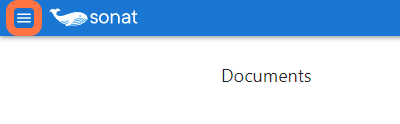
- Click on the three vertical lines at the top of your home page.
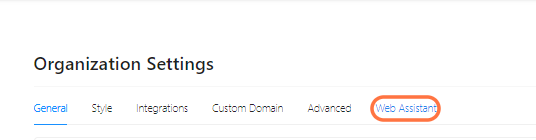
- Click on "Organization Settings."

- Under the web assistant tab, customize its settings.
- Make sure that the "Activate Web Assistant" section is turned on.
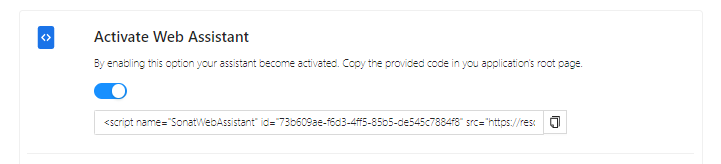
Once the web assistant feature is enabled, you can select a topic and set a regex pattern. To do this, follow these steps:
- Select the topic that you want to set the regex pattern.
- Click on the three lines icon at the top right.

- Click on Settings.
- On this page, you will see the "Web Assistant Regex" field.

- Enter the regex pattern in this field, and the web assistant will automatically show this topic when the pattern is detected.
To create a regex pattern, you need to define a pattern that describes the text you want to match. Simple Regex consists of a combination of special characters and literal characters. Some of the most commonly used special characters include:
- $: Matches the end of a line
- ^: Matches the beginning of a line
- /: Delimiter used to separate the regex pattern and its flags
- +: The plus sign (+) in Regex indicates that the preceding character or group of characters should match one or more times. This means that the character or group of characters must appear at least once but can also appear multiple times in a row.
It's important to note that the forward-slash (/) itself is not a special character in Regex. It is used as a common delimiter to separate the regex pattern and its optional flags, which modify the pattern-matching behavior, such as case sensitivity and global matching.