Online Manual Creator

Over 6,000 Trusted Teams Have Joined Us











Create Your Manual with AI
Ask Sonat's built-in assistant to draft and update your documentation, or connect the AI your team already uses. Both work from the same knowledge base, so what the AI writes is grounded in what you've already published.
Inside Sonat
The AI Assistant
Open the assistant beside your document and ask it to create a new topic or update an existing one. It searches your knowledge base before it writes, and shows you every step it takes — so nothing reaches your manual without you seeing how it got there.
Turn it on for your workspace in Organization Settings.
Your own tools
The Sonat MCP Server
Connect your knowledge base to the assistants your team already works in, over the open Model Context Protocol. Your AI can search your documentation, answer from it with citations, and — when you allow it — write back to it.
The same tools underneath
The assistant and your own AI client call one curated set of tools — not an auto-generated firehose. Reading is on by default; writing is unlocked only when you grant it.
Search and read
Find the right topic and pull its content, so answers come from your documentation instead of guesswork.
Summarize and rewrite
Condense a long document into a brief, or rework a topic for tone, clarity, or length.
Draft and publish
gatedCreate new documents and topics, edit existing ones, and publish them live.
Free plan, no credit card required.
Edit in Google Docs, Publish Anywhere
Edit in Google Docs, structure in a wiki, and publish on the web, all with Sonat. One platform to unify your content creation and management.
How It Works?

Create Content in Google Docs
Start by drafting your internal documents using the familiar and powerful Google Docs interface. Collaborate in real-time, track changes, and organize files securely with Google Drive. No additional tools or setups needed.

Organize with Wiki-Style Knowledge Bases
Sonat converts your Google Docs into a wiki-style environment, perfect for internal and external use. Add links between documents, create categories, and ensure your knowledge base stays accessible and easy to navigate.

Publish to Your Public Website or Internal Knowledge Base
When your content is ready for the world, Sonat allows you to publish it externally as a fully optimized, SEO-friendly website. Set up a custom domain and control your content's visibility, whether you want it private or public.

Manage Everything from One Dashboard
Monitor, update, and manage all your internal and external content from a single, easy-to-use dashboard. Sonat gives you full control over your documentation lifecycle, whether it's drafting, organizing, or publishing.
AI Answer Generator
GPT Engine That Answers Any Question Through Existing Documents
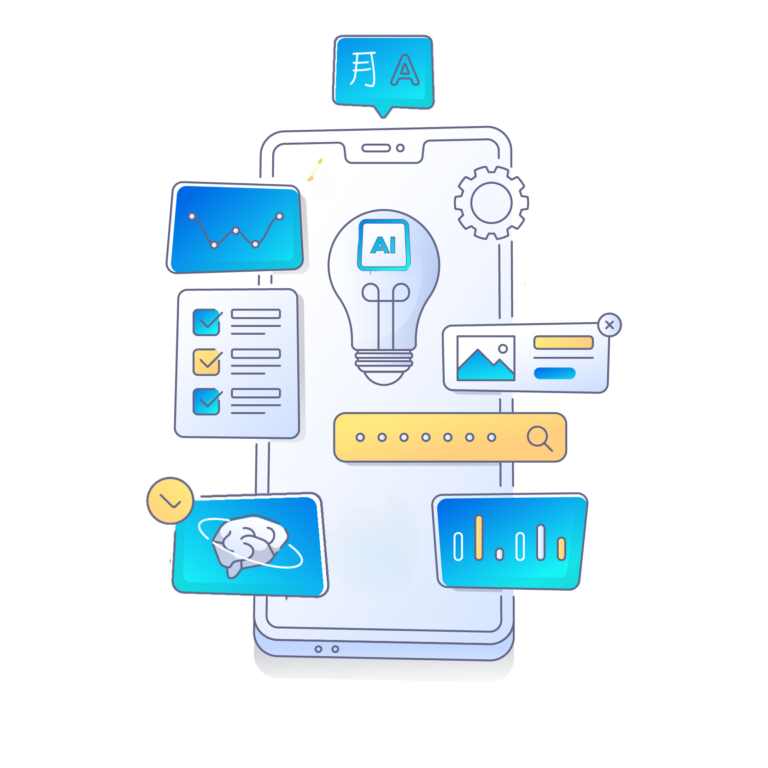
With the Sonat AI Answer Generator, you no longer need to spend hours searching for answers through endless documents; simply type your question, and within seconds, our AI will deliver precise, context-aware responses.
This technology understands your documents and adapts them as they evolve, ensuring you always have the most accurate and up-to-date information. Say goodbye to complicated setups and hello to seamless efficiency – the future of document navigation is here, and it speaks your language, fluently.
Simplify Your Document Experience with AI Answer Generator
Learn More!Build Your User Manuals in Minutes

Create your online manual
- Write your user manual with a smart authoring and styling editor.
- Enrich and structure your content.
- Make sure your manuals meet all standards thanks to the automated quality check.
Collaborate with your team
Enjoy Sonat's collaborative environment to get together with your team and:
- Discuss everything, comment on each step
- Define roles and access levels
- Keep track of the progress
- Supervise publishing
Publish it anywhere
When things look good, publish your manual with a single click, and it will be accessible online instantly.
We'll take care of the layout, and we'll make sure it looks good on desktops, tablets, and phones.
Improve continuously
Collect your users' feedback and take it into consideration to improve your manual accordingly.
Actively involve your users in the content creation and update your guide regularly.
Integrate with your favorite tools
Integrations





Top Features
Everything you need to create, manage, and publish professional online manuals — all in one platform.
Auto-translation
Our smart translation machine makes it easier for you to reach out to a broader circle of users worldwide. Support as many languages as you need.
Private Manuals
Keep your resources or internal documentation exclusive and private by deciding who can access your published manuals.
Feedback
Collect feedback from your users and publish updated versions in one click. Build upon real user insights to continuously improve.
Custom Branding
Give your documentation your very own style by defining themes and colors. Add your branding elements to reflect your unique identity.
Collaboration
Define approval processes and workflows, assign roles, leave comments, get notified of every change, and supervise the publishing process.
Various Templates
Minimize writer's block thanks to the variety of templates with examples and boilerplate to get you started quickly.
Search Engine Optimization
Your published manuals are fully SEO-optimized with meta tags, sitemaps, and structured data to help your content rank.
Readability Guide
Ensure your manuals meet quality standards with automated readability checks and content quality scoring.
Are you looking for an all-in-one manual creation tool?
Sign-up and create your online manual for free!
Free Online Manual CreatorWe innovate what you're looking for
We have discovered how companies and individuals struggle to create and update manuals for their products. It is always challenging to collaborate and agree on the content.
We established Sonat to create a tool to simplify writing and publishing.
The other problems we have solved are managing the publishing process, keeping track of the changes, correlating the content with the suitable version/variant of the product, and making it accessible to the end-users.

What our clients say about us
Trusted by companies worldwide to create and manage their online documentation.

Frequently Asked Questions
Find answers to the most common questions about Sonat.
Do I need technical knowledge to create a manual?
No, you don't. Sonat is designed to be simple and straightforward, so users can focus on creating and sharing their manual without worrying about technical details.
Am I limited to creating only product manuals?
No, there is no restriction on the type of document that can be created using Sonat. You have the flexibility to create various documents, including product manuals, internal knowledge bases, software/SaaS help, articles, internal procedures and processes, and even blog posts.
Is it possible to embed the manual on my website?
Yes, your document could easily be bound to a subdomain under your website. For example: docs.mysite.com.
Are there any pre-designed templates available?
Yes, Sonat offers various templates to minimize writer's block and reduce research time. The templates come with examples, boilerplate, and preset formatting including explanations, instructions, and headings.
Is it possible to get feedback from visitors?
Yes, receiving feedback is a crucial aspect of an online document, as it allows for continuous improvement. With Sonat, you can easily gather feedback from your audience and make the necessary adjustments to your user manual.
What's new
The latest improvements and fixes we've shipped to Sonat.

