
How to Build a Documentation Localization Strategy That Scales
- Sonat Team
- 19 Jul, 2026
- 06 Mins read
- Documentation Strategy
Your product already has users who don’t read your documentation’s default language. Some of them work around it with a browser translator. Others give up and file a support ticket. A few just leave. Translating a few pages when a customer asks feels like progress, but one-off translation isn’t a plan — it’s a backlog that quietly grows every time you ship.
A localization strategy fixes that. By the end of this guide you’ll know what a documentation localization strategy is, how to decide what to translate first, how to keep every language in sync as your source content changes, and how to make localized pages findable in search. The goal is a repeatable system, not a heroic push.
What a documentation localization strategy is
A documentation localization strategy is a repeatable plan for adapting your help content into other languages and locales — deciding which documents to translate, in what order, by what method, and how to keep them accurate as the source evolves.
It helps to separate two words that often get blurred. Internationalization is designing your content and system so they can be localized easily. Localization is the actual adaptation for a specific market. As the W3C puts it, localization is the “adaptation of a product, application or document content to meet the language, cultural and other requirements of a specific target market” — and that reaches well beyond swapping words, into dates, currencies, reading direction, imagery, and cultural expectations.
The order matters. The W3C’s guidance is blunt about it: retrofitting content for a global audience after the fact is far harder and slower than designing for it from the start. Localization is a phase you plan for early, not a task you bolt on at the end.
Localization is more than translation
Treating localization as “run the text through translation” is the fastest way to ship documentation that’s technically in the right language but still feels foreign. A locale is more than a language, and good documentation localization adapts the details that trip readers up:
- Dates, times, and numbers.
07/08/2026is July 8 in one market and August 7 in another. Decimal and thousands separators flip too. Ambiguous formatting in a step-by-step guide produces real mistakes. - Units and currency. Measurements, paper sizes, and prices should match what the reader actually uses, not a mechanical conversion buried in parentheses.
- Reading direction. Right-to-left languages such as Arabic and Hebrew need layouts that mirror correctly, not left-to-right pages with swapped words.
- Imagery and examples. Screenshots, sample names, and scenarios should look plausible to a local reader. A currency symbol or interface language in a screenshot can quietly undercut an otherwise good translation.
- Terminology. Product terms and UI labels must stay consistent across every article in a language, or readers lose the thread between the docs and the screen in front of them.
The W3C frames localization as adapting language, culture, and “other requirements” of a target market for exactly these reasons. Planning for them up front is what separates documentation that reads as native from documentation that reads as translated.
Why localize your documentation
The case for localization isn’t sentimental — it’s about access. Research on language barriers finds that when people can’t read information in a language they understand, they’re effectively excluded from it: they miss guidance, delay acting on it, or opt out entirely. A study of international clinical trials, for example, found that a large share simply excluded non-English speakers, and only a tiny fraction offered translated materials at all. When the content is your product documentation, the same barrier turns into abandoned setups, repeat tickets, and churn.
Reader preference points the same direction. Surveys of online language preferences — including the European Commission’s study of internet users across the EU — consistently show that most people prefer to read and act in their own language, and that many feel they miss information when a page isn’t available in one they understand. For documentation, “prefer” usually means “will actually finish the task.” A user who can follow every step in their own language is far more likely to succeed without contacting support.
There’s a compounding benefit, too. Well-localized documentation deflects support load in every market you serve, not just your home one. Each translated article that answers a question is a ticket that never gets filed.
Build your localization strategy in six steps
1. Internationalize the source first
Before you translate anything, make the source easy to translate. Write in plain, direct sentences. Avoid idioms and region-specific references that don’t survive translation. Keep instructions and the UI labels they reference consistent, so a translator isn’t guessing. Structure content in small, self-contained topics rather than sprawling pages — smaller units are cheaper to translate and easier to keep current. This is the internationalization work the W3C describes, and doing it up front pays back in every language you add later.
2. Prioritize what to localize first
You don’t have to translate everything on day one, and you shouldn’t. Rank your content by impact: onboarding and getting-started guides, your highest-traffic articles, and the topics that generate the most support tickets in a given region belong at the front. Legal, safety, and compliance content is often non-negotiable. Everything else can follow in waves. A short, ranked list beats an all-or-nothing project that never ships.
3. Choose a translation approach you can sustain
Most teams land on a hybrid: machine translation for speed and coverage, with human review where accuracy and tone matter most. Machine translation has become good enough to carry the first draft across many languages at once; human review catches the product-specific terms, edge cases, and cultural nuance a machine misses. Decide which content tiers get review — usually your prioritized, high-impact set — and let lower-risk content run on machine translation you spot-check. The point is a workflow you can repeat every release, not a perfect one you can only afford once.
Sonat is built around this model: you author once and machine-translate into any of the languages your account supports, then publish each language version from the same place.
4. Keep every language in sync
This is where most localization efforts quietly break. You translate a page, then the source changes, and the translation silently drifts out of date. The fix is a single source of truth: one canonical version of each topic, with translations tracked against it so you can see what’s stale the moment the source is edited. Version history and review workflows turn “update the docs everywhere” from a manual scramble into a routine step. A translation you can’t tell is outdated is worse than no translation, because the reader trusts it.
5. Make localized docs findable
Translated content only helps if people can reach it. Google’s guidance for multilingual sites is specific here: give each language version its own distinct URL, and mark up the relationships between versions with hreflang so search engines serve the right language to the right reader. Just as important is what not to do — Google explicitly warns against automatically redirecting users to a single language based on their location, and against putting multiple languages side by side on one page, both of which keep search engines from indexing all your versions. Keep one language per page, link versions correctly, and let readers choose.
6. Measure, then improve
A localization strategy is a loop, not a launch. Watch search queries and on-page analytics per language to see which markets are underserved and which translated articles actually get used. Lean on end-user feedback on each topic to catch translations that are technically correct but confusing in context. Feed what you learn back into your priority list. Over time the data tells you where the next wave of localization will pay off most.
Common pitfalls to avoid
A few mistakes show up again and again:
- Retrofitting instead of planning. Translating content that was never written to be translated is slow and expensive. Internationalize first.
- Auto-redirecting by location. Sending every visitor from a region to one language version frustrates multilingual users and blocks search engines from seeing your other versions.
- Side-by-side translations on one page. Mixing languages on a single URL confuses both readers and crawlers. One language per page.
- Set-and-forget translations. Without a link back to the source, translations drift. Track them so staleness is visible.
- Translating everything at once. It stalls. Prioritize, ship in waves, and expand based on real usage.
Where to start
You don’t need to localize your entire documentation set this quarter. You need a strategy: internationalize the source, translate your highest-impact content first, keep every language tied to a single source of truth, make each version findable, and let usage data guide the next wave. That’s the difference between a translation backlog and a system that scales with you.
If you’d rather manage that from one place — authoring, machine translation, review, and per-language publishing together — that’s exactly what Sonat is built to do.
Related Articles
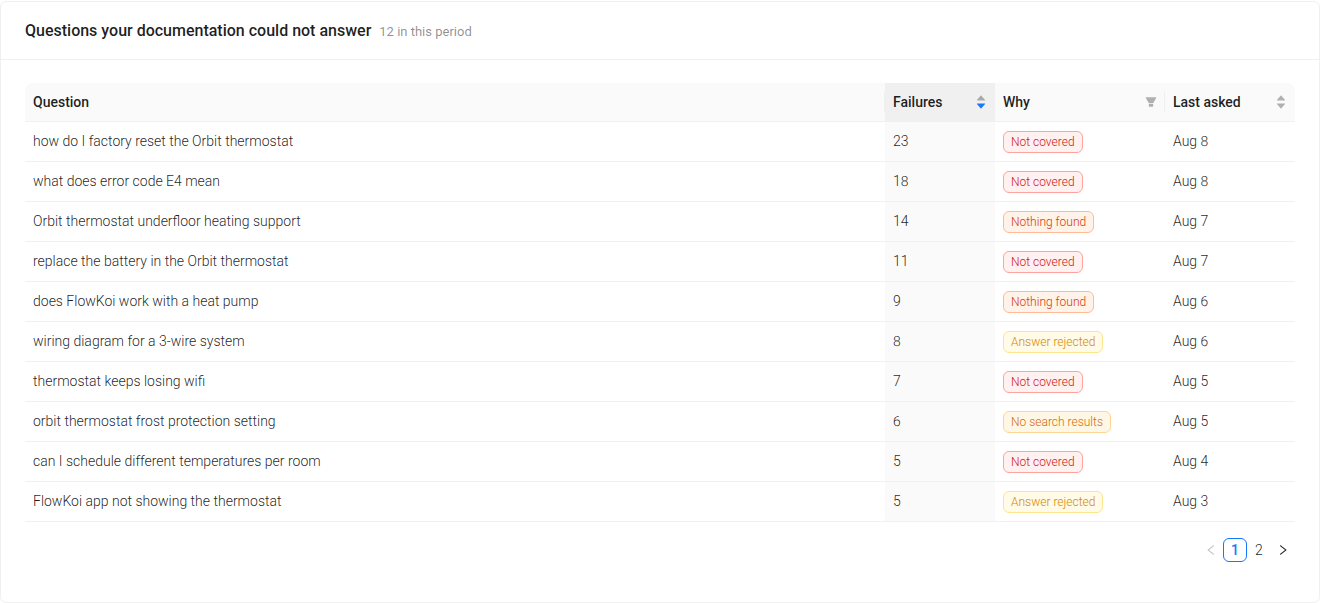
Content Gap Analysis for Documentation: Find What Your Docs Couldn't Answer
Your readers already told you what's missing. A practical guide to content gap analysis for documentation — how to find the questions your docs failed, why 'unanswered' is four different problems, and how to fix each one.

The Best Google Docs Alternative for Documentation Teams
Picture this: it's the 70s and 80s, and the world is just getting a taste of what typing on a computer could be like. No more typewriters, just basic text…

Develop a Comprehensive Documentation Plan: A Step-by-Step Guide
In the field of project management, effective communication and collaboration are important. Documentation stands at the core of these essentials, acting as…

