What Is a Runbook? IT Runbooks Explained, With an Example and a Template
- Sonat Team
- 02 Jul, 2026
- 06 Mins read
- IT Documentation
It’s 2 a.m. A service is down, a pager is buzzing, and the one person who knows how to fix it is asleep or on vacation. The difference between a five-minute recovery and a five-hour outage often comes down to a single, unglamorous document: the runbook.
If you’ve ever searched for “what is a runbook” and gotten a one-line dictionary answer, this guide goes further. You’ll learn exactly what a runbook is, what belongs inside one, how it differs from a playbook and an SOP, and how to write runbooks your team will actually trust when it matters.
What is a runbook?
A runbook is a documented, step-by-step procedure for carrying out a specific, repeatable IT task — such as restarting a service, rotating a certificate, restoring a backup, or responding to a common alert. It captures the exact actions, commands, and checks a person needs, so anyone on the team can complete the task reliably, even under pressure.
Runbooks turn knowledge that lives in one engineer’s head into something the whole team can follow. That matters most during incidents, when guides that lay out clear, tested steps are known to reduce stress, shorten mean time to repair (MTTR), and lower the risk of human error.
The name comes from operations tradition: the “book” an operator would follow to keep systems running. Today a runbook is rarely a physical binder — it’s a living document in your knowledge base — but the purpose is the same. Predictable steps, every time, no matter who is on call.
What goes into a runbook?
A good runbook is more than a list of commands. It gives the reader enough context to act with confidence and to know when to stop and escalate. Most effective IT runbooks include the same core sections:
- Purpose and scope — what this runbook covers, and just as importantly, what it does not.
- Trigger — the alert, symptom, or schedule that tells you to use this runbook.
- Prerequisites — access, permissions, tools, or credentials needed before you start.
- Step-by-step procedure — the numbered actions, exact commands, and expected output after each one.
- Verification — how to confirm the task actually worked and the system is healthy.
- Rollback — how to undo the change safely if something goes wrong.
- Escalation — who to contact, and the point at which a human decision is required rather than another step.
- Owner and last-reviewed date — so readers know the runbook is current and who maintains it.
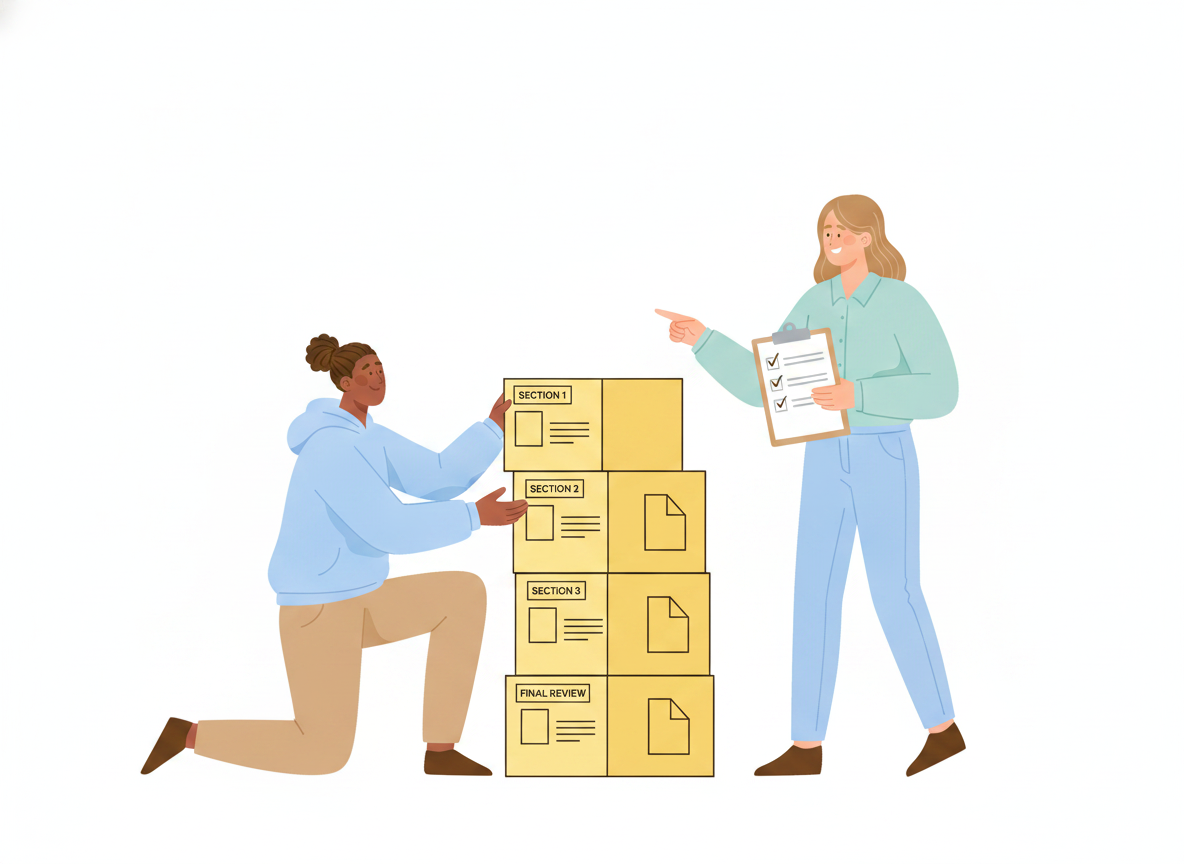
The verification and rollback sections are what separate a runbook from a rough note. Anyone can write down “restart the service.” A runbook tells you how to know the restart succeeded and what to do if it didn’t.
Keep humans in the loop
Not every step should run on autopilot. For sensitive actions — deleting data, failing over a database, touching production configuration — the best runbooks pause and ask a person to confirm before continuing. Writing that checkpoint into the procedure keeps automation safe and keeps a human accountable for the risky call.
Runbook vs. playbook vs. SOP
These three terms are often used interchangeably, but they solve different problems. Getting the distinction right helps you file each document where your team will look for it.
- Runbook — tactical and specific. One task, one clear outcome. “How do I restore last night’s database backup?” A runbook is the granular, executable procedure.
- Playbook — strategic and adaptive. A higher-level guide for handling a broader, less predictable situation, such as a major security incident or a regional outage. A playbook coordinates goals, roles, and decisions, and it often points to several runbooks along the way.
- SOP (standard operating procedure) — foundational and consistent. A standard operating procedure documents how a routine task should always be done, from start to finish, so it’s performed the same way every time regardless of who does it. Security guidance from standards bodies describes SOPs as the specific processes, checklists, and forms a team relies on — and stresses that they should be tested and used to train people, not just filed away.
A simple way to remember it: a playbook sets the strategy, a runbook executes one step of it, and an SOP makes sure the routine underneath stays consistent. Runbooks typically sit inside the broader scope of a playbook.
A runbook example
Here’s a short, worked runbook example for a common IT task — restarting a web service that has stopped responding. Notice how each part maps to the anatomy above.
Runbook: Restart the unresponsive web service
Purpose: Restore the customer-facing web app when it stops responding to health checks. Trigger: “Web app health check failing” alert, or reports that the site returns errors. Prerequisites: SSH access to the app servers; permission to restart services.
Steps:
- Confirm the outage — load the health-check URL and note the error.
- Check recent deploys and system load to rule out an obvious cause.
- Restart the service on the affected host.
- Watch the logs for a clean startup message.
Verification: Health-check URL returns success and error rates return to normal for five minutes. Rollback: If restarting doesn’t help, roll back to the last known-good release and re-run verification. Escalation: If the service fails to start twice, page the on-call engineering lead — do not keep restarting. Owner: Platform team · Last reviewed: this quarter.
You can lift this shape into an IT runbook template for almost any recurring task: name the trigger, list the steps, say how to verify, explain how to roll back, and make clear when to escalate. The same structure works for a disaster recovery runbook, where the “task” is restoring a whole system rather than one service — the sections just get more detailed.
How to write a runbook people actually use
The hardest part of runbooks isn’t writing the first one. It’s making them trustworthy enough that a tired engineer reaches for the document instead of guessing. A few practices make the difference.
Write for the person having their worst day. Assume the reader is stressed and unfamiliar with this exact system. Spell out commands in full. Say what “success” looks like after each step. Remove anything that assumes tribal knowledge.
Test the steps, then test them again. A runbook that has never been followed end to end is a hypothesis, not a procedure. Standards guidance is blunt about this: procedures should be tested to validate that they’re accurate and useful before people depend on them. Run a game day, or have someone who didn’t write it follow it exactly.
Automate the toil, keep the judgment. Repetitive, manual, automatable steps are what operations teams call toil — work that scales with your systems but adds no lasting value. Convert those steps into scripts the runbook can call, and reserve human attention for the decisions that genuinely need it. The goal is fewer 2 a.m. keystrokes, not fewer 2 a.m. decisions.
Give every runbook an owner and a review date. An out-of-date runbook is worse than none, because people follow it anyway. Assign an owner, review on a schedule, and update the runbook whenever the underlying system changes.
Keep them all in one findable place. A brilliant runbook nobody can locate at 2 a.m. helps no one. Store runbooks together in a single, searchable home, linked from the alerts that trigger them.
Turn scattered runbooks into a single source of truth
Most teams don’t lack runbooks — they lack findable, current runbooks. Procedures live in chat threads, personal notes, and half-finished wiki pages, and no one is sure which version is right.
This is exactly the problem a documentation platform solves. With Sonat, IT and operations teams can write runbooks in a familiar editor, keep an unlimited version history so every change is tracked, publish to a searchable site your whole team can reach, and control who can edit versus view. Approval workflows keep sensitive procedures reviewed before they go live, and machine translation makes the same runbook usable across a global team. The result is one trusted home for the steps your team depends on when systems break.
The takeaway
A runbook is a simple idea with outsized impact: write down exactly how to do a repeatable task, verify it, and keep it current, so anyone can carry it out calmly under pressure. Start with your most common alert, capture the steps the next time you resolve it, and add verification, rollback, and escalation. Do that a few times and you’ll have replaced 2 a.m. guesswork with a library of procedures your whole team can trust.
Related Articles

Runbooks: A Practical Guide to Repeatable IT Operations
What IT runbooks are, what to put in one, and how to write a runbook your team will actually use — then keep it current so on-call stops relying on memory and heroics.

IT Runbooks: How to Document Operations Anyone on Your Team Can Run
A practical guide to writing IT runbooks your whole team can follow under pressure — what belongs in one, how to structure it, and how to keep it current.

IT Documentation: A Practical Guide to Fewer Tickets
A practical best-practices guide to IT documentation — runbooks, internal wikis, onboarding docs, and SOPs — that helps teams cut repeat support tickets and resolve incidents faster.

