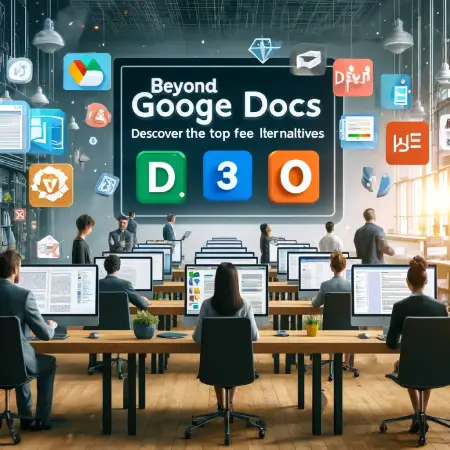
Beyond Google Docs: Discover the Top Free Alternatives
- Sonat Team
- 26 Jul, 2026
- 06 Mins read
- Documentation Strategy
Google Docs is like the swiss army knife of writing and sharing stuff online. It’s easy to use and works with other Google stuff, which is why so many people around the world use it. You can write anything from a quick note to a big, detailed report and work on it with others in real time. Plus, you can get to your documents from any gadget that connects to the internet.
So, why look elsewhere? Here’s the scoop on its limits and why you might need something more:
- Not enough fancy tweaks: Google Docs is okay for simple stuff, but if you need to make your document look extra special, it might not have all the tools you need.
- Slows down with big files: If you’re working on a really long document, you might notice it starts to crawl, which can be annoying.
- Missing specialized features: If you need to do complicated things like deep data analysis, work without internet, or use apps that aren’t from Google, Docs might not cut it.
- Worries about privacy: Nowadays, people are more careful about where their info is kept, especially if it’s personal or sensitive. Since Google is a big company, some folks are wary about storing their documents there.
Despite its popularity, these issues drive some people to check out other options that might better fit their needs, whether that’s more privacy, different tools, or something else cool. This guide will help you figure out which document tool is the best match for you.
Core Features of a Great Document Editor
When you’re picking a document editor, there are some must-have features that really make or break your experience. Let’s dive into what these are:
Real-Time Collaboration Capabilities
Today’s work doesn’t wait, so being able to work together on a document at the same time is super important. A good document editor lets multiple people make changes live, which is perfect for teams that aren’t in the same place. This helps everyone stay on the same page and keeps projects moving smoothly.
How Sonat Can Help?
Enjoy Sonat’s collaborative environment to get together with your team and:
- Discuss everything, comment on each step
- Define roles and access levels
- Keep track of the progress
- Supervise publishing
Publishing Feature
A solid document editor should make it super easy to get your work out there, whether you’re posting directly to the web or preparing print materials. Look for features that let you tweak layouts, add interactive parts, or include videos and images to make your documents pop.
Cross-Platform Accessibility
Whether you’re on a computer, tablet, or phone, and no matter if it’s Windows, macOS, Linux, iOS, or Android, your document editor should work smoothly. Cloud-based options are great because they keep your documents updated and accessible no matter where you are or what device you’re using.
How Sonat Can Help?
With Sonat, you can reach out to your users with any device and any browser through a responsive user interface with cross-browser compatibility accessible through laptops, tablets, and smartphones
Ease of Use and User Interface
Nobody wants to struggle with complicated tools. A good document editor is easy to use right from the start, with a clear and simple interface. It should be organized in a way that makes it easy to find the tools you need. Being able to customize the setup to suit your style is a big plus, too.
Do I need technical knowledge to create a manual?
No, you don’t. Sonat is designed to be simple and straightforward, so users can focus on creating and sharing their manual without worrying about technical details.
File Compatibility and Export Options
It’s essential that your document editor can open and work with files from other apps without messing up the formatting. And when it’s time to share, having strong export options means your documents look right, no matter where they’re opened. Supporting multiple formats like PDF, DOCX, and others ensures your work is always presented perfectly.
Additional Features: Templates, Add-ons, and Extensions
To really boost your productivity, look for a document editor that offers templates for all kinds of projects, from business reports to personal newsletters. Add-ons and extensions can also be game-changers, offering extra features like grammar checks, advanced data tools, or easy integration with other software.
Are there any pre-designed templates available on sonat?
Yes, sonat offers various templates to minimize writer’s block and reduce research time. The templates come with examples, boilerplate, and preset formatting and include explanations, instructions, and headings. To access our collection of free templates click here.
Special Features and Niche Tools in Alternatives
When you’re looking for a Google Docs alternative, you should definitely think beyond just the basics. There are some special features and tools that can really make a difference, depending on what you need. Here’s what to watch for:
Integration with Other Tools and Platforms
The top document editors can mesh well with various tools and platforms, boosting your productivity and making workflows smoother. This could mean syncing up with project management apps, CRM systems, or communication tools. These integrations make it easier to move from drafting documents to sharing them and gathering feedback, all without skipping a beat.
Security and Privacy Features
Nowadays, with more concerns about data breaches and privacy issues, having strong security in a document editor is crucial. Look for options that provide tough security, like end-to-end encryption, two-factor authentication, and adherence to big-deal privacy standards like GDPR. Also, being able to control who sees what in your documents and tracking who accesses them can be super important, especially if you’re dealing with sensitive info.
How Sonat Can Help?
With Sonat you can keep your unique resources or internal documentation exclusive and private by deciding who can access your published manuals. Restrict the access to special individuals and staff of an organization, or broaden it to anybody with the link.
Special Tools for Writers and Editors
If you’re a writer or editor, some document editors come packed with features just for you. These might include tools like a built-in thesaurus, style guides, readability checks, and advanced grammar and style suggestions. For teams that handle lots of revisions, features like version control and tracking multiple reviewers’ changes can be a game changer.
How Sonat Can Help?
- We measure your content SEO metrics and help you improve the quality of your content. We use sitemaps, CDN, and other technologies to make sure your content will get the highest possible rank in the search engines.
- Sonat is also equipped with a readability analyzer that measures your content readability metrics and lets you know how you can make your guide much more readable for your target audience.
AI Capabilities
AI is making its way into document editors, bringing some pretty cool capabilities. This includes predictive typing, auto-formatting, and content suggestions that fit the context of what you’re working on. AI can also analyze data within your documents, pulling out summaries or important points automatically. These features can really speed up how you create documents and improve the consistency and accuracy of your work, especially in professional settings.
How Sonat Can Help?
Sonat, with powerful AI models, answers end-users questions based on your existing product manuals, documents, and FAQs. Sonat’s AI Answer Generator offers instant solutions to your queries. No matter the complexity of your question or the time of day, our AI is ready to provide you with quick and accurate answers.
Top Free Alternatives to Google Docs
When searching for a solid Google Docs alternative, Microsoft Office Online is a top pick, especially for those familiar with the Microsoft Office suite. Here’s a breakdown of its features, along with advantages and disadvantages when stacked against Google Docs.
Sonat
Unique Features:
- Collaborative Environment: Sonat boosts teamwork by letting members define roles and access levels while tracking progress.
- AI Capabilities: Includes tools like an AI Answer Generator and SEO content metrics, enhancing document effectiveness and visibility.
- Content Readability Analyzer: Offers tailored suggestions to improve your content’s readability for your target audience.
Pros:
- Enhanced Privacy: Strong privacy controls let users manage who accesses their content.
- Integration and Customization: Integrates smoothly with various tools and platforms for a customizable experience.
- User-Friendly Interface: Easy to use, making it suitable for those without technical skills.
Try your forever free plan here.
Zoho Writer: Unique Features, Pros, and Cons
Unique Features:
- Document Automation: Features a powerful automation tool for generating documents based on predefined templates and rules.
- Advanced Publishing Options: Extensive publishing options for sharing content directly or preparing it for print.
- Integration with Zoho Suite: Seamless integration with other Zoho apps enhances workflow across CRM, mail, and more.
Pros:
- Robust Collaboration Tools: Offers smooth real-time collaboration with strong version control and commenting capabilities.
- Focus on Security: Includes strong privacy features, such as password protection and data encryption.
- Intuitive Design: The interface is clean and user-friendly, simplifying document management.
Cons:
- Zoho Ecosystem Dependency: Works best within the Zoho ecosystem, which may not suit users not engaged with other Zoho products.
- Complex Features: The extensive features and integrations may overwhelm some users.
Apache OpenOffice Writer: Desktop vs. Cloud Functionalities, Pros, and Cons
Desktop vs. Cloud Functionalities: Apache OpenOffice Writer is mainly a desktop application, differing from cloud-based solutions like Google Docs. It lacks the real-time collaboration features of cloud services but offers stable performance offline.
Pros:
- Cost-Effective: Completely free, making it accessible to all without subscription fees.
- Open-Source: Users can modify the source code for customization.
- Strong Compatibility: Supports a wide array of document formats, ensuring compatibility with other software.
Cons:
- No Cloud Services: Does not support online real-time document editing, a drawback for collaborative modern work environments.
- Outdated Interface: The interface seems outdated compared to newer document editors, potentially impacting the user experience.
- Limited Updates: Less frequent updates can mean missing out on newer features or security improvements.
Related Articles

Documentation Governance: A Simple Framework for Teams
Documentation governance keeps docs accurate after publishing. Set up owners, standards, review cycles, and retirement rules with this simple framework.
How to Run a Documentation Audit: A Step-by-Step Guide
A step-by-step guide to auditing your documentation: build a content inventory, score every page, and decide what to keep, update, or retire.

Content Audit for Documentation: Find and Fix Stale Docs
A step-by-step content audit for documentation teams: build an inventory, flag stale and duplicate topics, and keep your docs accurate.

