
Custom domain
Your manual on your own custom domain.
Publish your manual or help center at docs.yourcompany.com. Readers stay on your address, and HTTPS is handled for you.
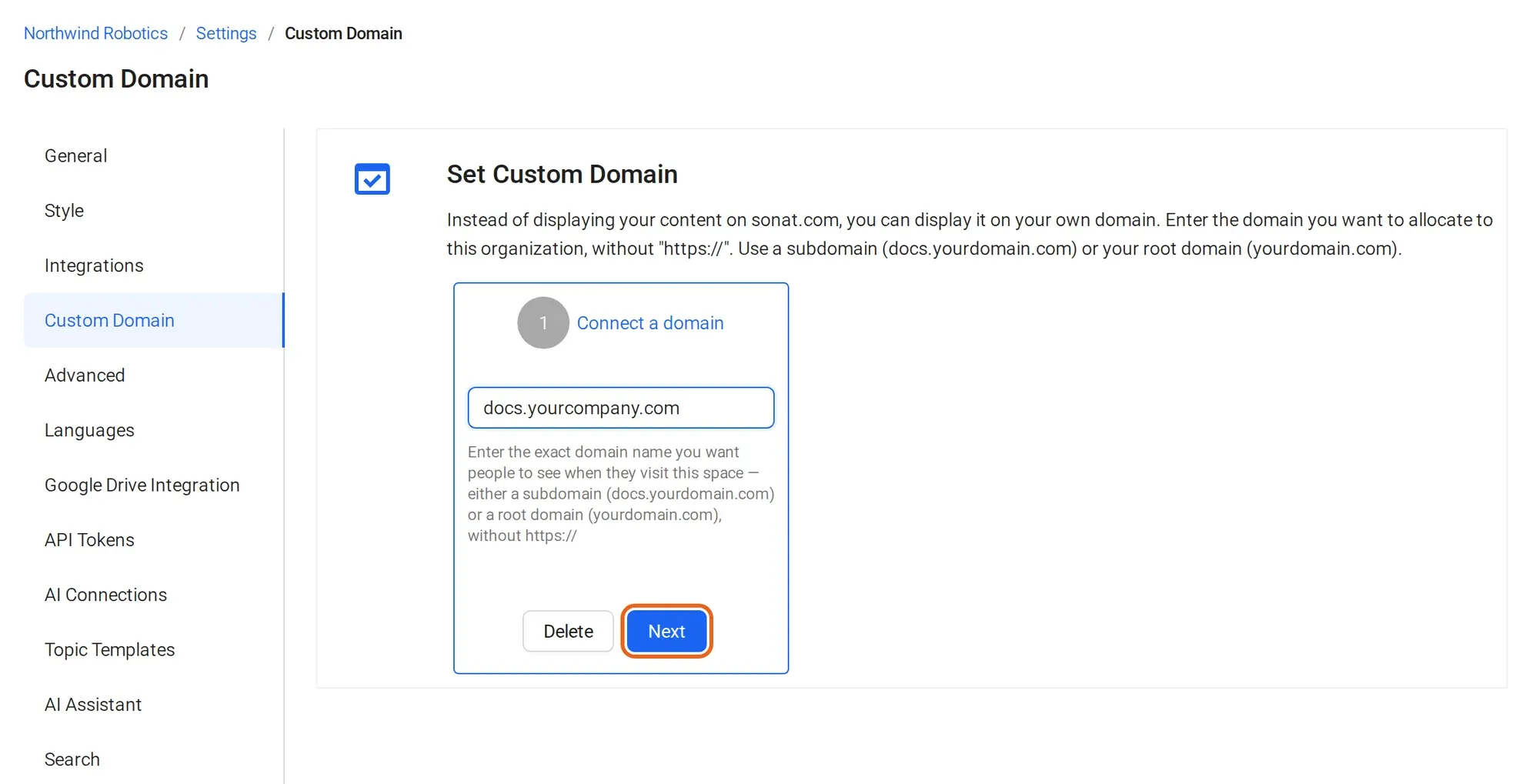
How it works
Set up a help center custom domain.
Three steps, and most of the waiting is DNS.
-
1 Add your domain
Type the address you want, such as docs.yourcompany.com, in your settings. Sonat shows the exact DNS record to add.
-
2 Add one DNS record
Copy the record into your DNS provider, or send it to your IT team. Sonat checks for the record and tells you when it's found.
-
3 HTTPS is handled
Sonat sets up the HTTPS certificate and serves your manual at your address. Links to topics and the PDF download use it too.
The DNS record
One record, at your DNS provider.
A subdomain, like docs.yourcompany.com
A root domain, like example.com
The details
What a custom domain includes
- Plans
- Every plan, including Free.
- Domains
- One per organization. Every manual in it is served under that domain. If you run several brands, one login can manage several organizations.
- DNS record
- A subdomain: a CNAME to hosting.sonat.com. A root domain: an A record to 35.196.253.75.
- DNS time
- Often minutes, sometimes up to 48 hours, depending on your DNS provider.
- HTTPS
- Sonat sets up and renews the certificate. No certificate to buy or renew.
- One address
- Web pages, search, topic links and PDF downloads.
- Private docs
- Choose who can read a manual: named people or a whole email domain. On every paid plan.
- Powered by Sonat
- Removed on the Enterprise plan.
Manuals published with Sonat by




Pick your address. We'll help you connect it.
Book a call and we'll walk your IT team through the DNS record.
FAQ
Custom domain questions
Which plan includes a custom domain?
Every plan, including Free. See pricing for the current plans.
How do I set up a custom domain for my knowledge base?
Add the domain in Sonat, copy the DNS record it shows into your DNS provider, and wait for the record to be found. Sonat then sets up HTTPS.
How long does DNS take?
Often minutes, sometimes up to 48 hours, depending on your DNS provider.
Is HTTPS included?
Yes. Sonat sets up and renews the certificate for your domain.
Can each manual have its own domain?
No. A custom domain belongs to the organization, and every manual in it is served under that domain. For a root domain like example.com, you add an A record instead of a CNAME. If you run several brands, one login can manage several organizations.
Can I remove “Powered by Sonat”?
Yes, on the Enterprise plan.
Can I change the colors and fonts too?
Not yet. Custom colors, fonts and hero images are not available today.