
Internal knowledge base
An internal knowledge base your team checks first.
Keep private internal documentation for your team in one place, behind SSO, with AI search that answers from your pages and cites them.
Private docs on every paid plan. AI answers on Team and above. SSO on Enterprise.
Why teams switch
If nobody trusts the wiki, they ask in chat.
So the same person answers the same question all week, and the answer never gets written down.
Today
- Travel policy (final).docx Which?
- Travel policy · wiki Which?
- Travel policy · chat thread Which?
- @Sam where is the travel policy? Again
- Asking a colleague beats searching, so Sam answers the same question all week.
- Copies in drives, wikis and chat threads. Nobody knows which one is current.
- New hires don't know where to look. Onboarding means a list of links and a lot of interruptions.
With Sonat
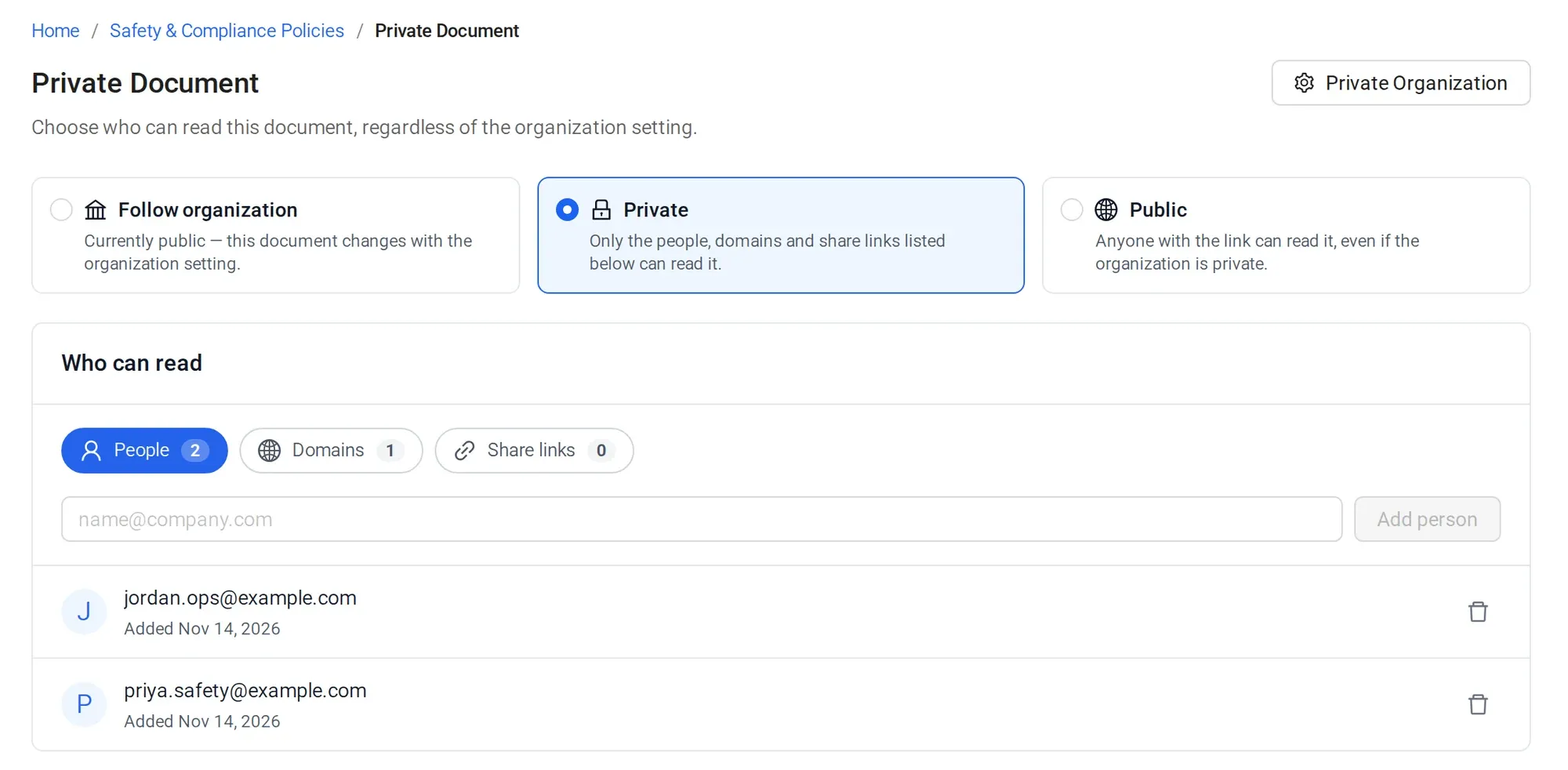
- Private to your staff: named people, your email domain or a share link.
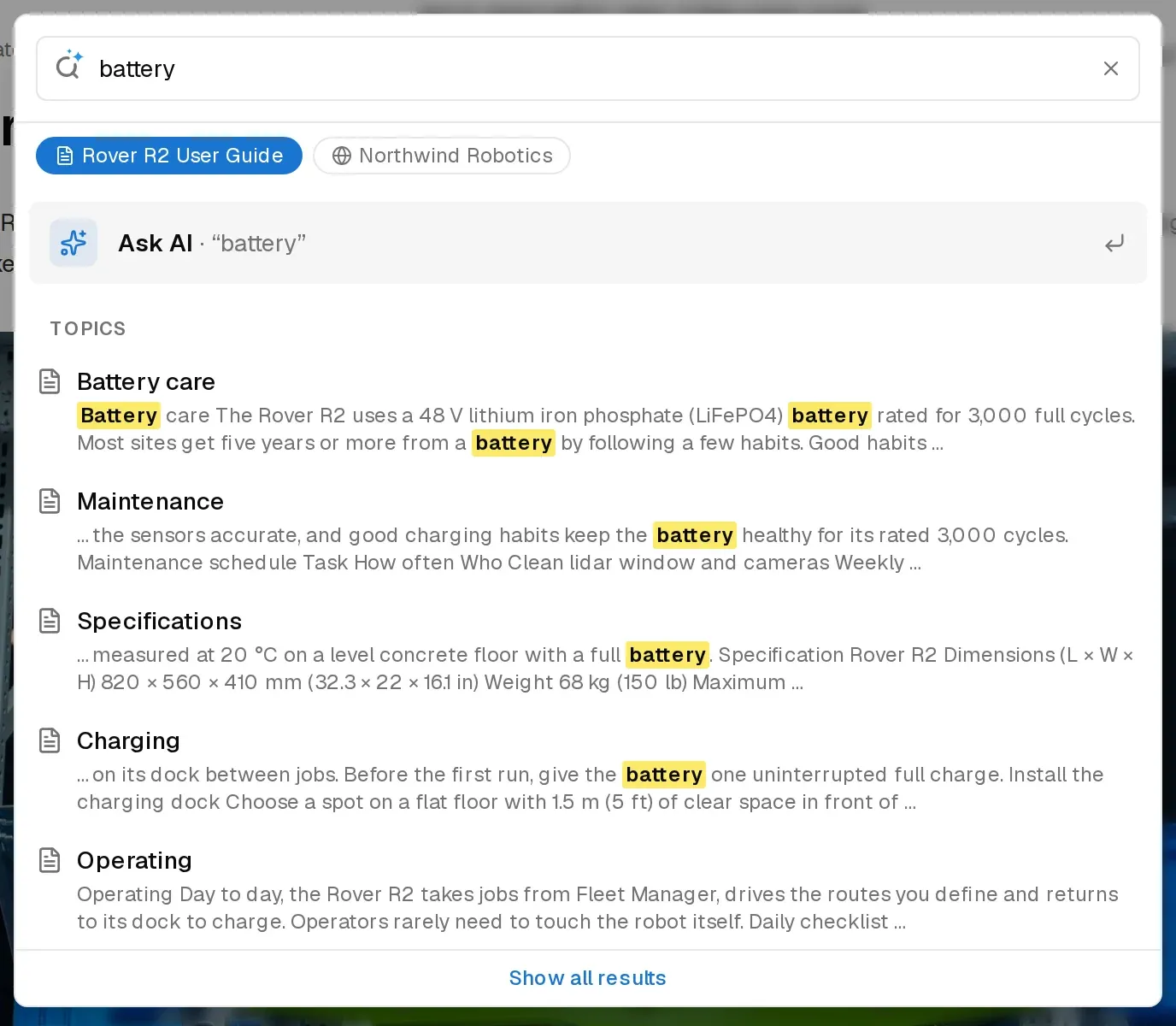
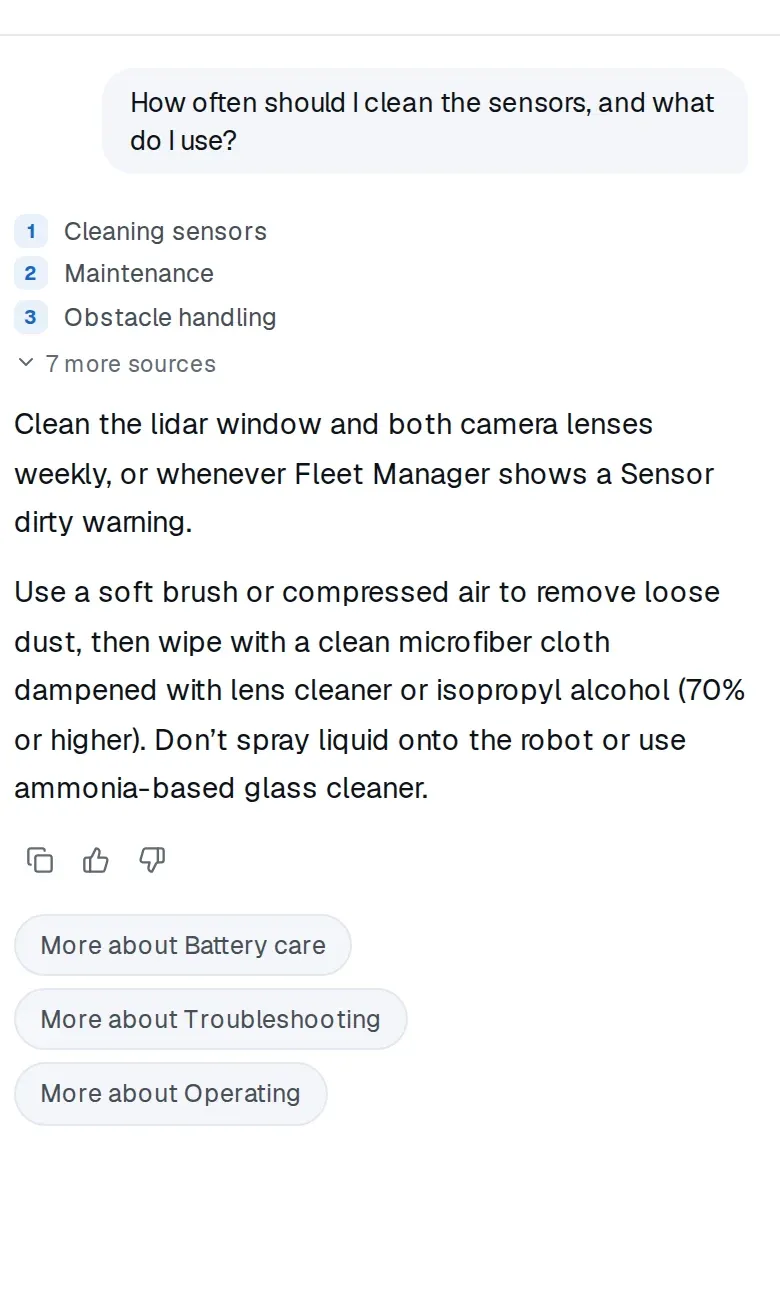
- Search finds the right page even when the words differ, and the AI answer cites it.
- Staff ask the knowledge base. Sam gets his week back.
For IT teams
IT documentation people find before they file a ticket
Setup guides, access requests and how-tos in the same internal knowledge base as everything else, so staff can help themselves.
Self-service setup guides
VPN, printers, new laptops. Staff ask in plain words and get a cited answer instead of opening a ticket.
Internal runbooks stay internal
Keep IT pages private to your team on any paid plan, while the rest of the handbook stays open to all staff.
Your docs in Claude or Cursor
Connect the MCP server and search or update your docs from Claude, ChatGPT or Cursor.
Sonat is a documentation tool, not an IT management platform. It does not store passwords or track assets.
What you'll use
Private, searchable, and easy to keep current
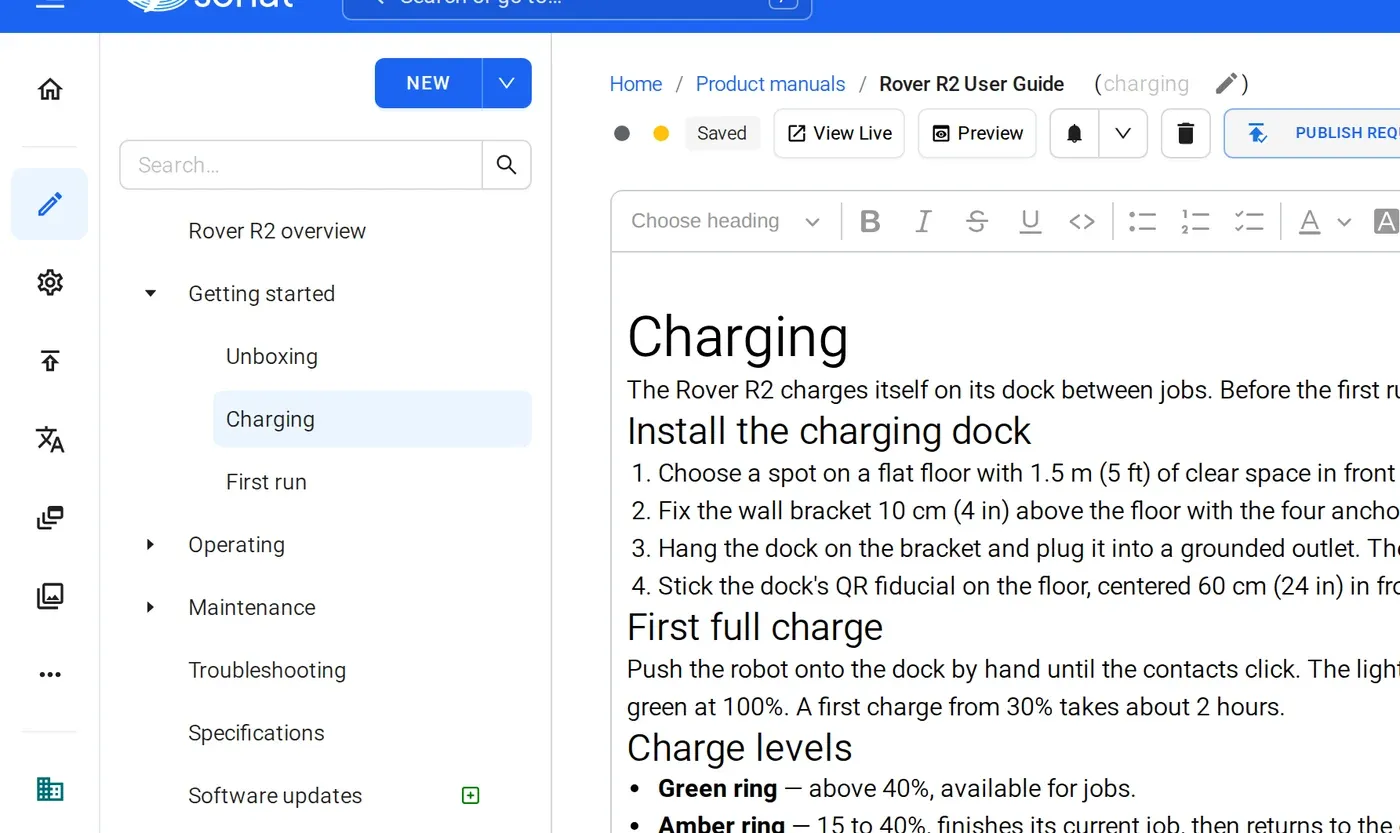
What's included
What's in place from day one
- SAML single sign-on on the Enterprise plan
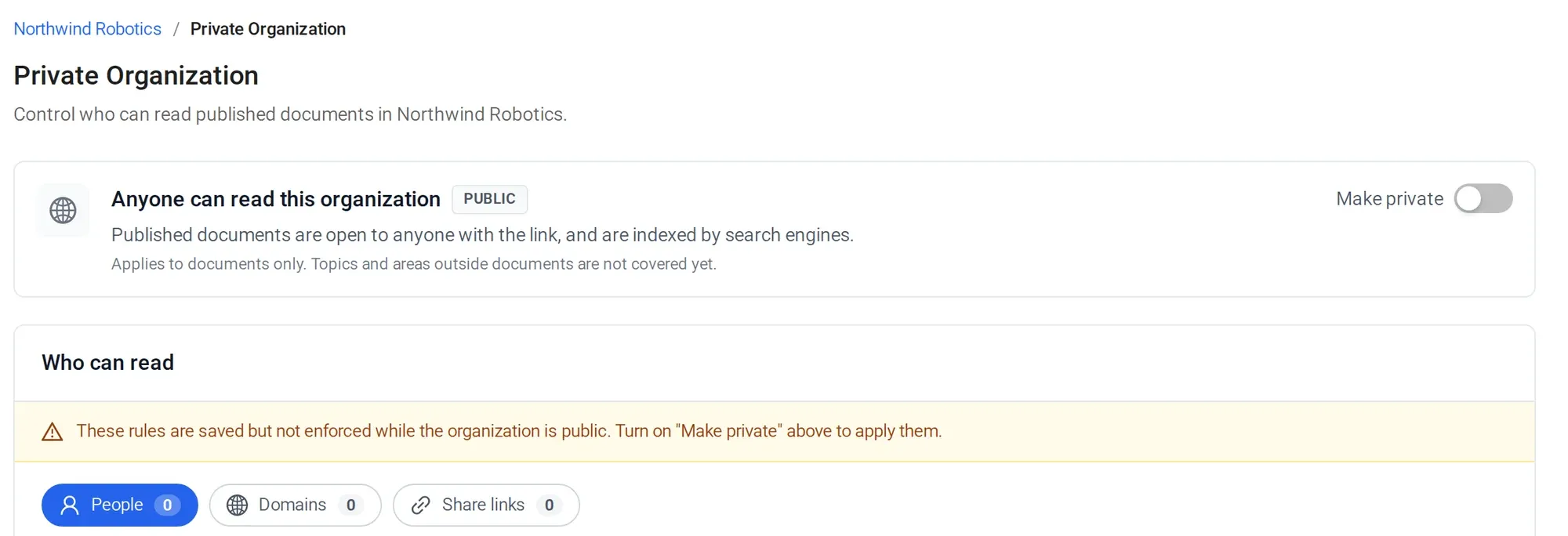
- Private access by person, email domain or share link, on every paid plan
- Owner, Admin and Writer roles, plus version history
- Semantic search and AI answers with links to the page (AI answers: Team and above)
- Google Docs and Drive sync
Manuals published with Sonat by




Move one team's docs first.
Pick IT, HR or Operations. Sync their Google Docs, ask it ten real questions, and see what it answers.
FAQ
Internal knowledge base questions
What is an internal knowledge base?
It is the private internal documentation for your team: policies, how-tos, onboarding and IT guides in one searchable place. Sonat adds AI answers that cite the page they came from.
Does Sonat support single sign-on?
Yes, on the Enterprise plan. Sonat supports SAML single sign-on. Google sign-in and email sign-in work on every plan.
Who can edit the knowledge base?
Anyone you invite as a Writer, Admin or Owner. Writers edit content. Admins and Owners also manage settings and access.
Can some docs be public and others private?
Yes. On any paid plan, you can make the whole site private or only some documents, and share them with named people, email domains or a share link.
Can we keep writing in Google Docs?
Yes. Google Docs and Drive sync brings your docs into Sonat, where they are searchable and covered by AI answers.
Is there a Slack or Microsoft Teams bot?
No. Share page links in chat, or connect the MCP server to search the knowledge base from Claude, ChatGPT or Cursor.
Is Sonat good for IT documentation?
For guides, runbooks and how-tos, yes. It is not an IT management tool, so it does not store passwords or track devices.