
Software
Software user guides, drafted with AI, answered in-app.
Write user guides and SaaS help docs with an AI assistant you approve. Users get cited answers on your docs site or inside your product.
AI answers on Team and above. The in-app widget is a $100/mo extra on any paid plan.
Your release week, before and after
The product ships weekly. The help docs don't.
Docs fall behind between releases, so users ask support what the docs should explain.
Today
- Create an alert rule Old screen
- Update help docs Later
- How do I mute alerts? Ticket
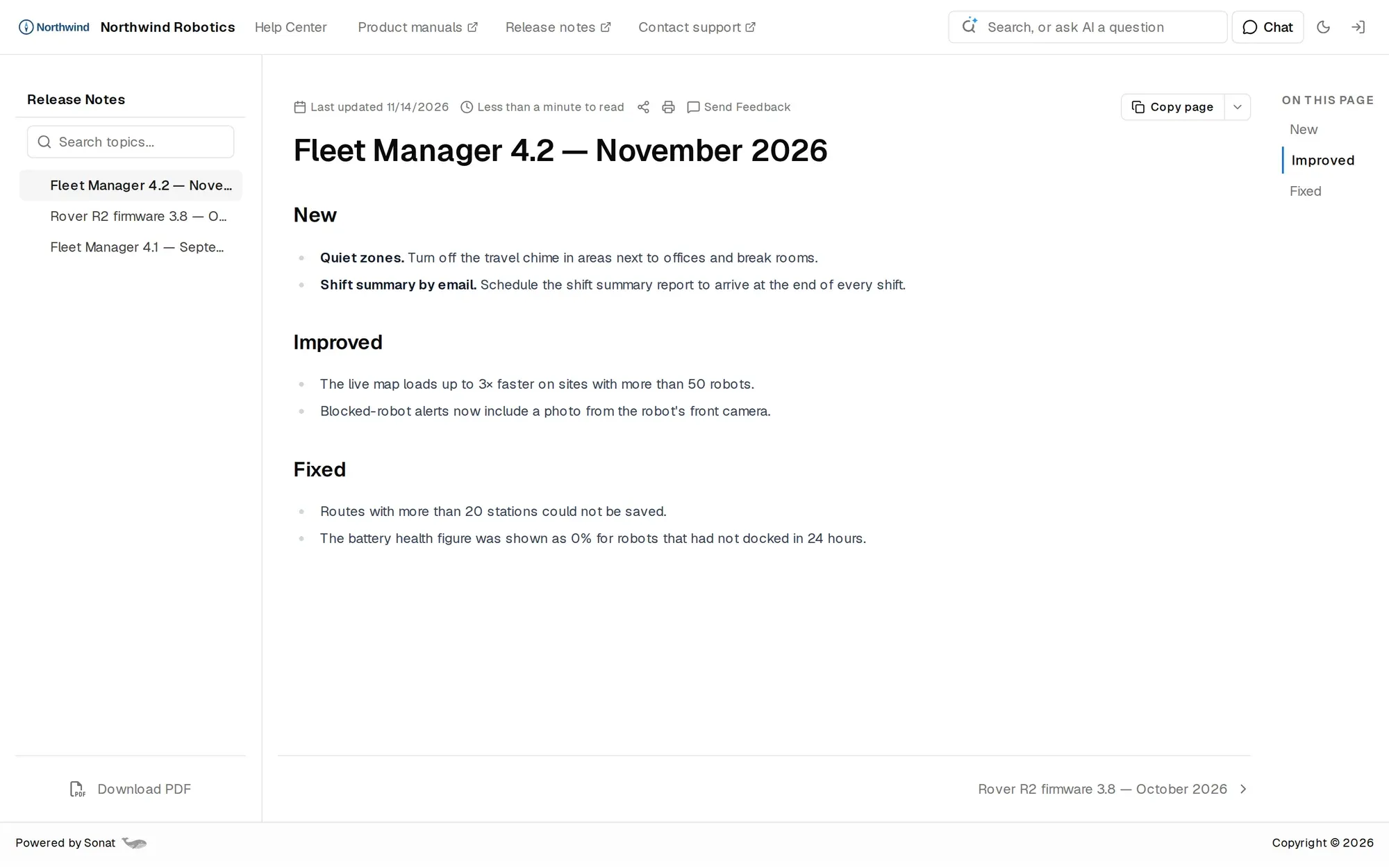
- The release shipped. The guide shows the old screen, because nobody owns the docs between releases.
- The product manager is also the tech writer, and help docs compete with the roadmap.
- Users never leave the app to look, so they ask support what the docs already explain.
With Sonat
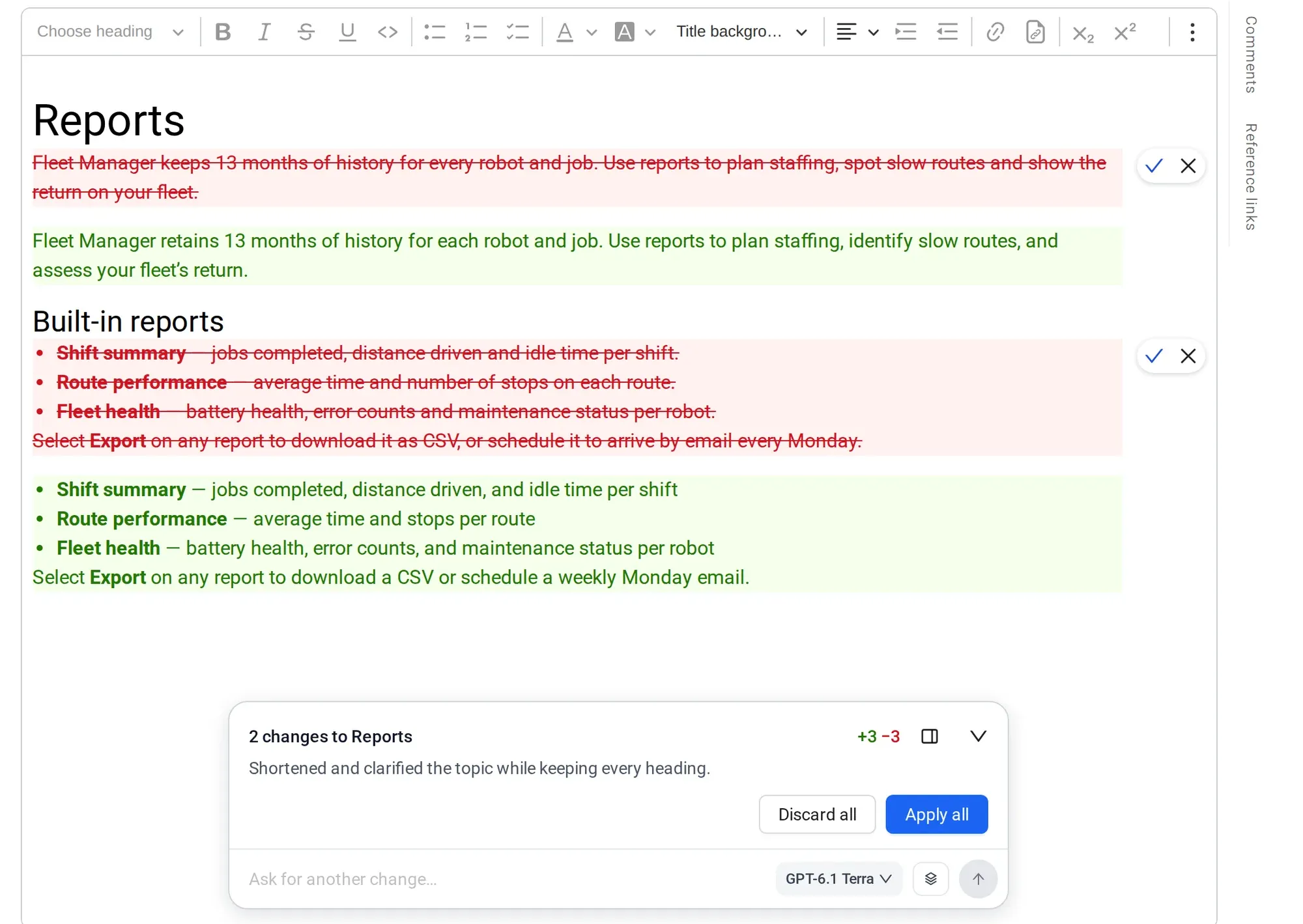
- Paste your release notes and the assistant edits the right pages.
- It shows a summary of what changed. Nothing goes live until you approve it.
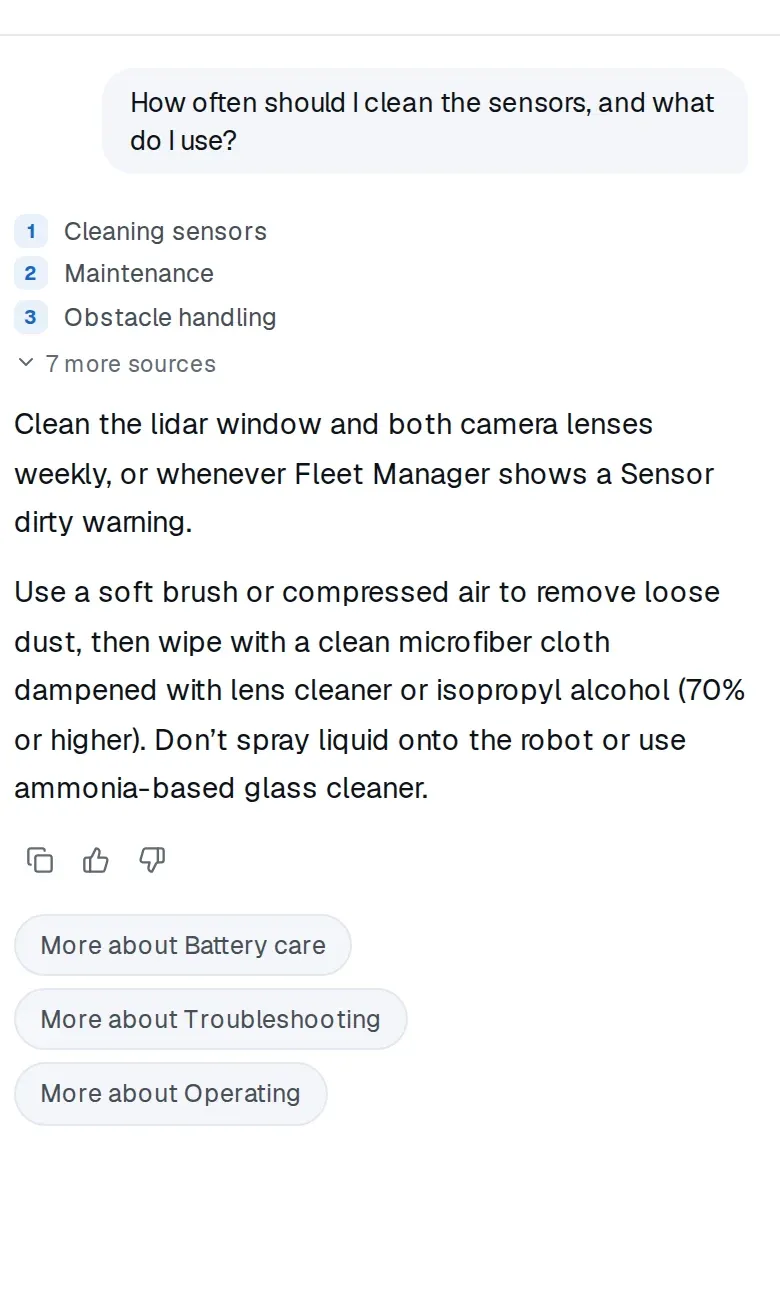
- Users get cited answers on your docs site, or inside your app with the widget.
For product teams
Hear what users can't figure out.
Every question your docs couldn't answer is a signal: a missing page, a confusing screen or a feature people expect.
Unanswered questions · last 30 days
Docs to write
Questions about features you have but haven't explained. Write the page and the next user gets an answer.
Product signals
Questions about features you don't have, or screens people can't find. Bring them to roadmap reviews.
Release notes in one place
Publish what changed on your docs site, next to the guide it changed.
What you'll use
SaaS help docs that keep up with releases
What's included
What software teams get
- An AI assistant that drafts, edits and publishes only after you approve
- Cited AI answers in your docs search, on Team and above
- An unanswered-questions report, on Team and above
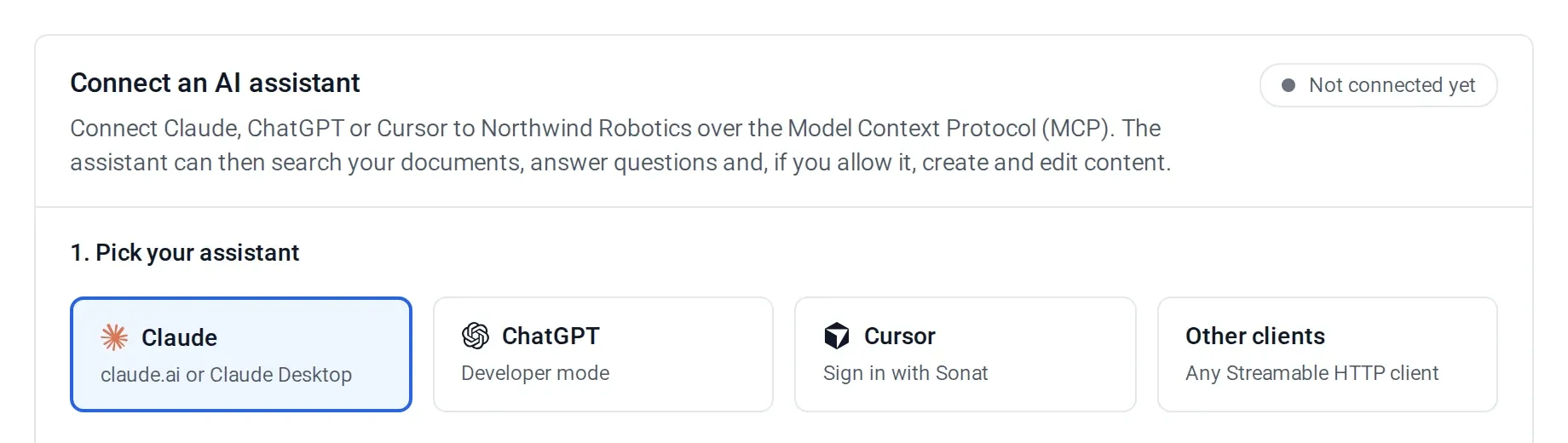
- An MCP server for Claude, ChatGPT and Cursor
- Custom domain with HTTPS and several languages per guide
Manuals published with Sonat by





Send us your last release notes.
We'll show you the assistant updating a guide from them, step by step, waiting for your approval.
FAQ
Software user guide questions
What is a software user guide?
It is the documentation that shows users how to get tasks done in your product. Sonat hosts your user guide and SaaS help docs, answers questions from them with AI, and cites the page each answer came from.
Can Sonat generate API reference docs from OpenAPI?
No. Sonat is built for user guides and help docs, not API reference generation.
Does Sonat sync with Git or support docs-as-code?
No. Your team writes in the Sonat editor, or keeps writing in Google Docs and syncs them in. Developers can work on docs from Cursor or Claude through the MCP server.
Can users get answers inside our app?
Yes, with the assistant widget, a $100-a-month extra on any paid plan. Add one script tag and it answers from your published guide.
How do we keep the guide current after each release?
Give the AI assistant your release notes and ask it to update the guide. It shows each step and a summary of what changed, and you approve before anything goes live. It does not watch your product for changes on its own.
Can we publish help docs in several languages?
Yes. Each document can have language versions, and readers switch between them. Your team writes the translations, imports them, or starts from an AI translation and edits it.
How much does it cost?
Sonat has a free plan. Paid plans start at $20 a month. Every plan includes AI credits: Free 300 once, Team 500 a month, Business 1,000 a month. See pricing.