
Documentation editor
A documentation editor with an assistant for busywork.
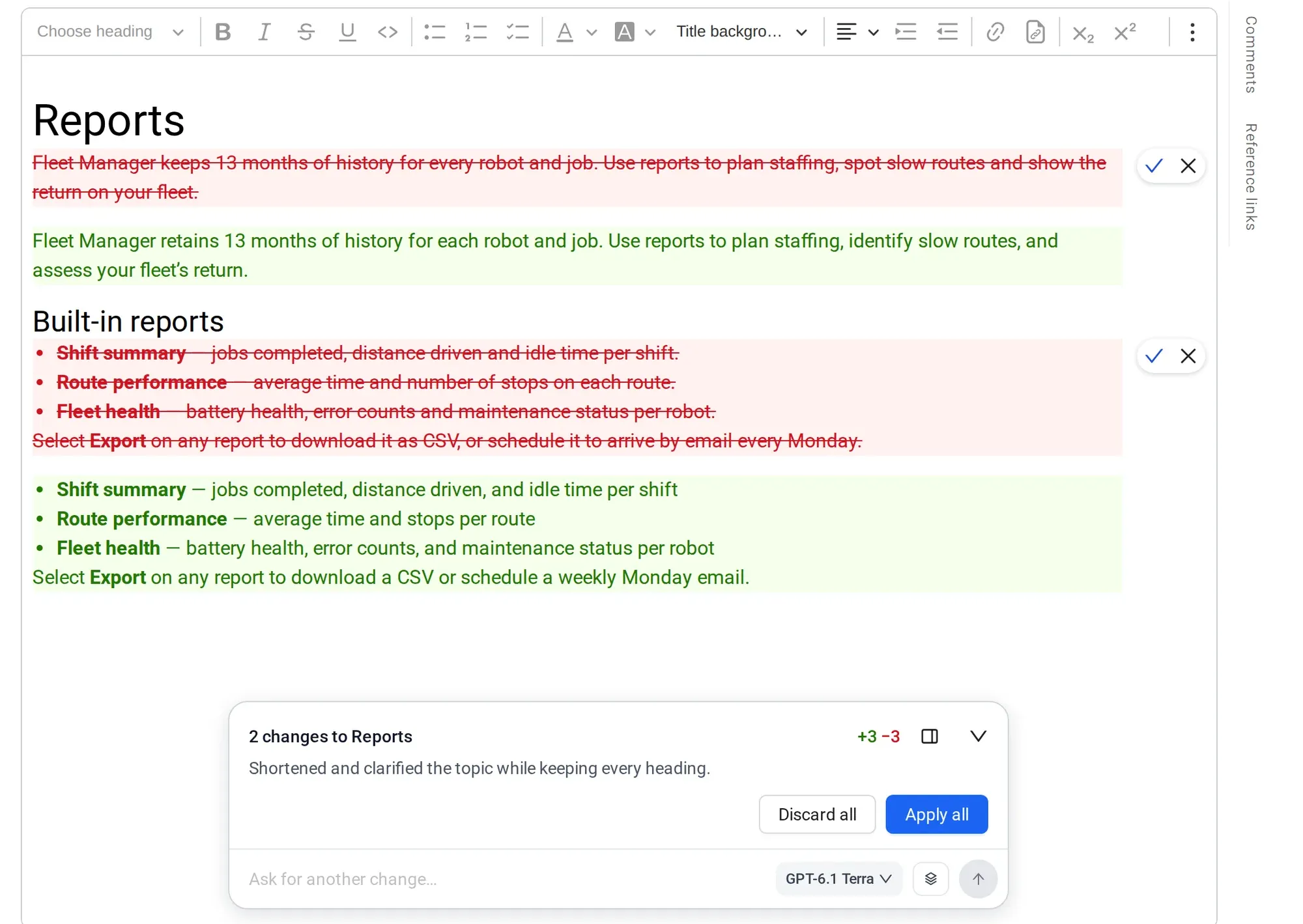
Write manuals in a familiar rich-text editor, or keep writing in Google Docs. The AI assistant shows you every change before it applies.
Free plan includes 300 AI credits. No credit card.
How it works
Write, ask, publish.
Most manual time goes to checking, renaming and fixing, not writing. The editor keeps that work small, and the assistant shows its work.
-
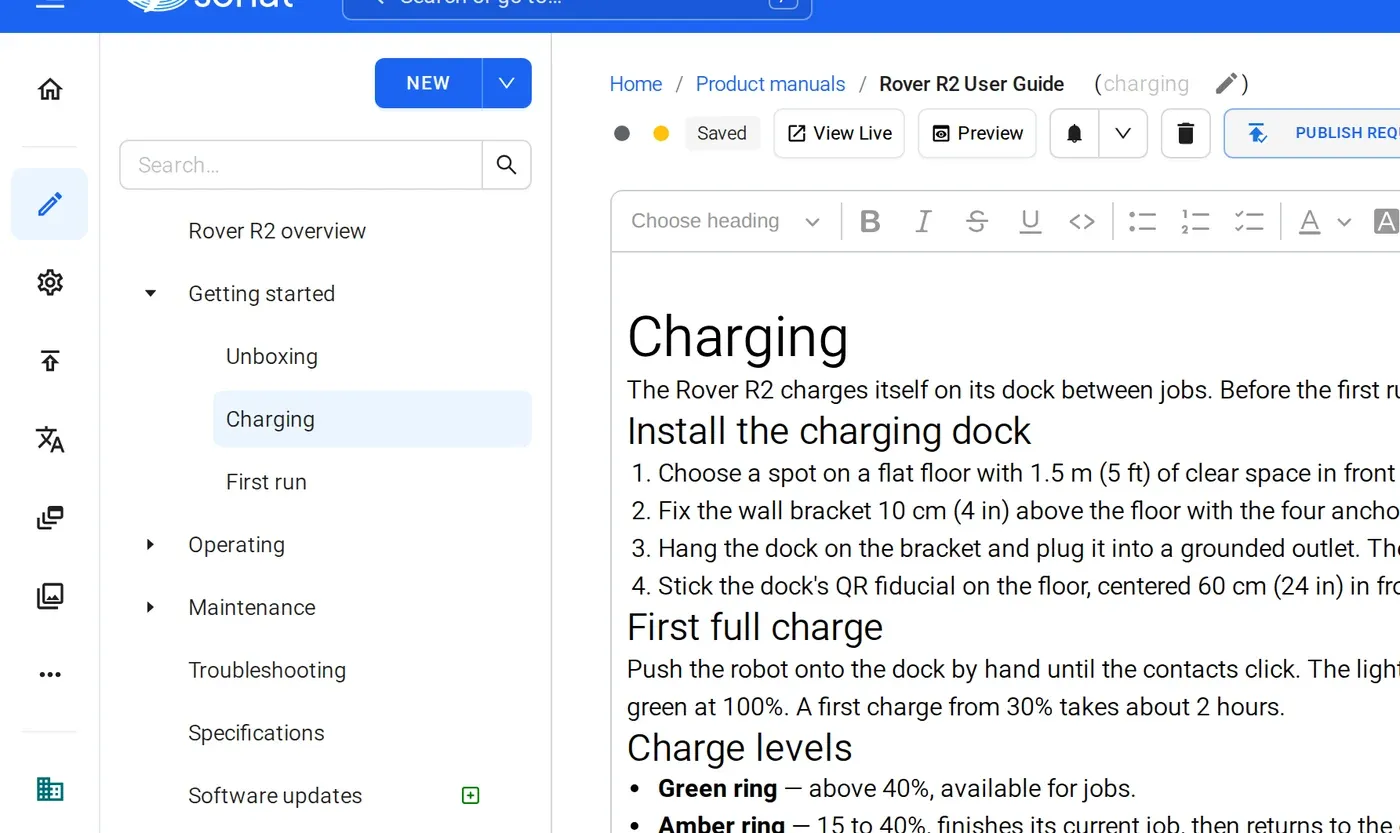
1 Write in topics
Headings, lists, tables, images and links. Drag topics into the order readers need, and the tree becomes the manual's navigation on the web and in the PDF.
-
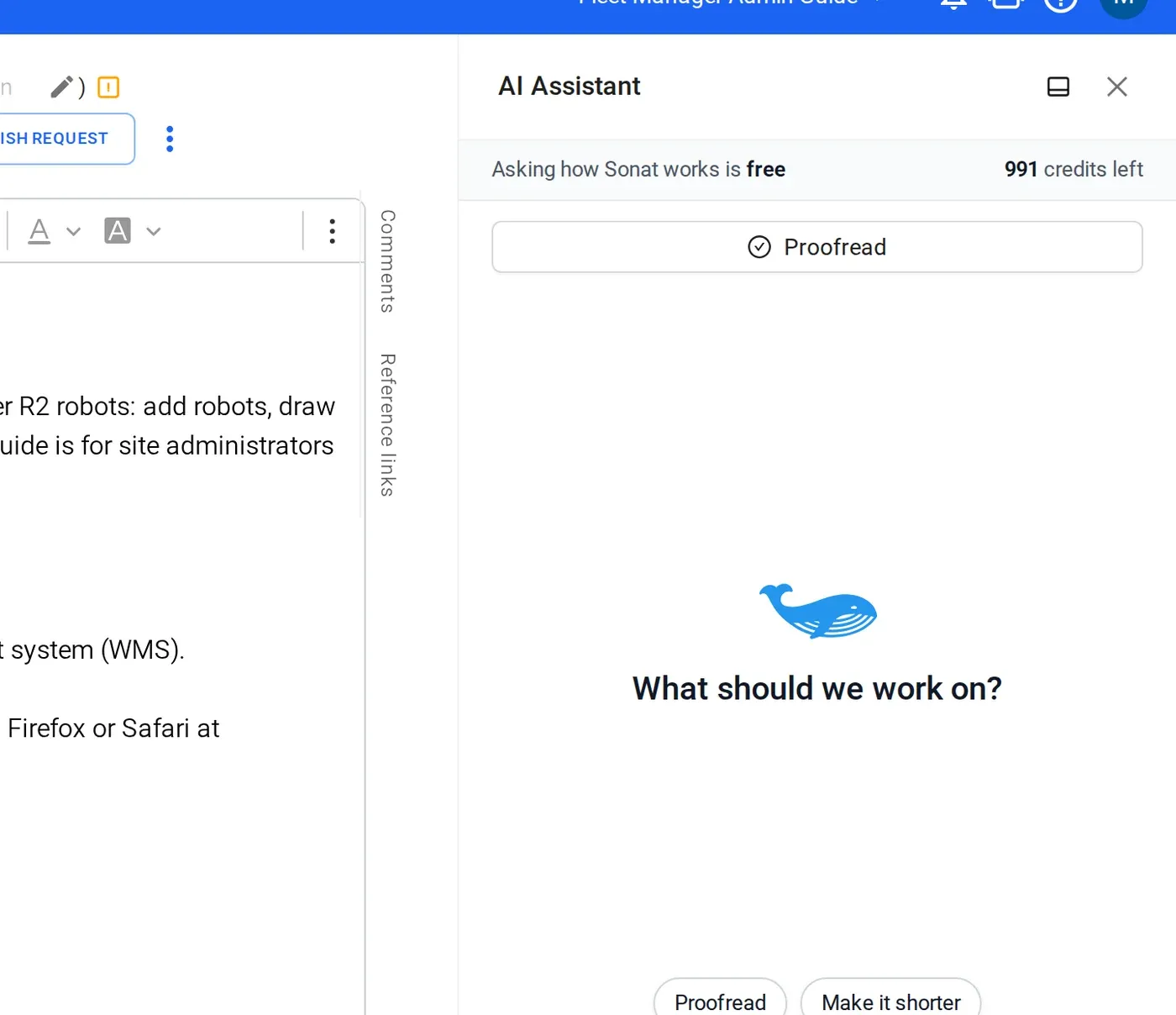
2 Ask the assistant
Ask it to draft a topic, rewrite a paragraph or reorganize a chapter, or pick Proofread, Make it shorter or Add a summary.
-
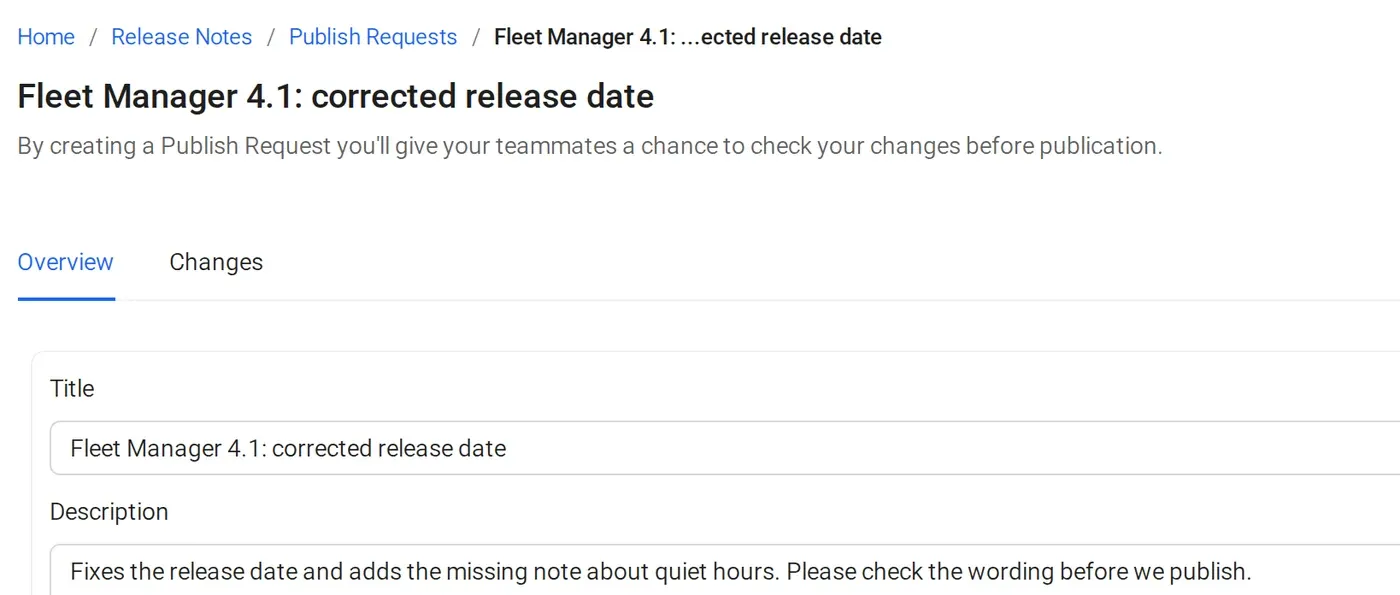
3 Publish, or ask for approval
Drafts stay private until you publish. Or send a publish request, and reviewers approve it first.
The details
What the editor includes
- Rich text
- Headings, lists, tables, images and links. No Markdown needed.
- AI assistant
- Draft, rewrite, reorganize, proofread and summarize. Every change shows before it applies.
- AI credits
- Free: 300 once. Team: 500 a month. Business: 1,000 a month. Typing and formatting never use credits.
- Drafts and history
- Readers see the published version while you work. Version history restores any earlier version.
- Roles
- Owner, Admin and Writer. Writers create, edit and publish.
- Approval workflows
- On Business: every publish waits for the reviewers you name.
- Google Docs
- Link a Google Doc and Sonat syncs it into a topic.
Manuals published with Sonat by





Write your first topic today.
Start free, invite a colleague, and ask the assistant for a first draft.
FAQ
Documentation editor questions
Is it a Markdown or a rich-text editor?
Sonat's documentation editor is rich text, with headings, lists, tables, images and links. You don't need to know Markdown.
Can several people write in the same manual?
Yes. Invite your team, give each person a role, and work on separate topics. Changes stay in draft until someone publishes them.
Can I undo changes the AI assistant made?
Yes. The assistant shows what it changed before you keep it, and version history lets you restore an earlier version of a topic.
What can a Writer do?
Writers create and edit content. Owners and Admins also manage people and organization settings. Writers can also publish and create documents. Document settings, languages and members are for Owners and Admins, and billing is for the Owner only. If you set up an approval process, every publish waits for its approvals.
Can I keep writing in Google Docs?
Yes. Link a Google Doc and Sonat syncs it into a topic, so your team can keep the doc as the source.
Does the editor use AI credits?
Typing and formatting are free. The assistant and the proofread, rewrite and summarize actions use AI credits, which every plan includes.