
Multilingual manuals
One multilingual manual for every market you ship to.
Publish each manual in several languages from one place. Readers pick theirs from a language switcher.
How it works
Multilingual knowledge base software, kept simple.
One document per manual. Every language kept together.
-
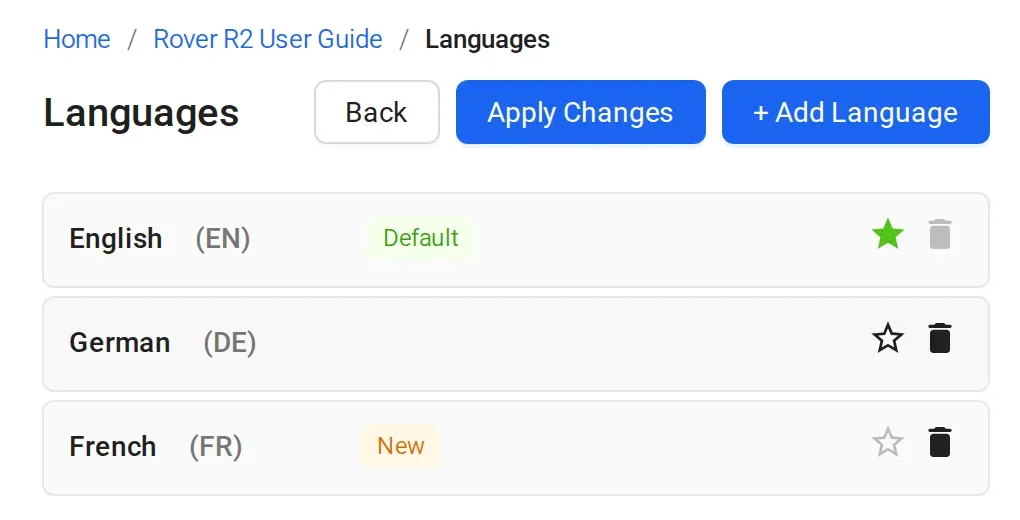
1 Add a language version
Add a language to a document. Sonat keeps every language of the manual together in one document, with its own topics for each.
-
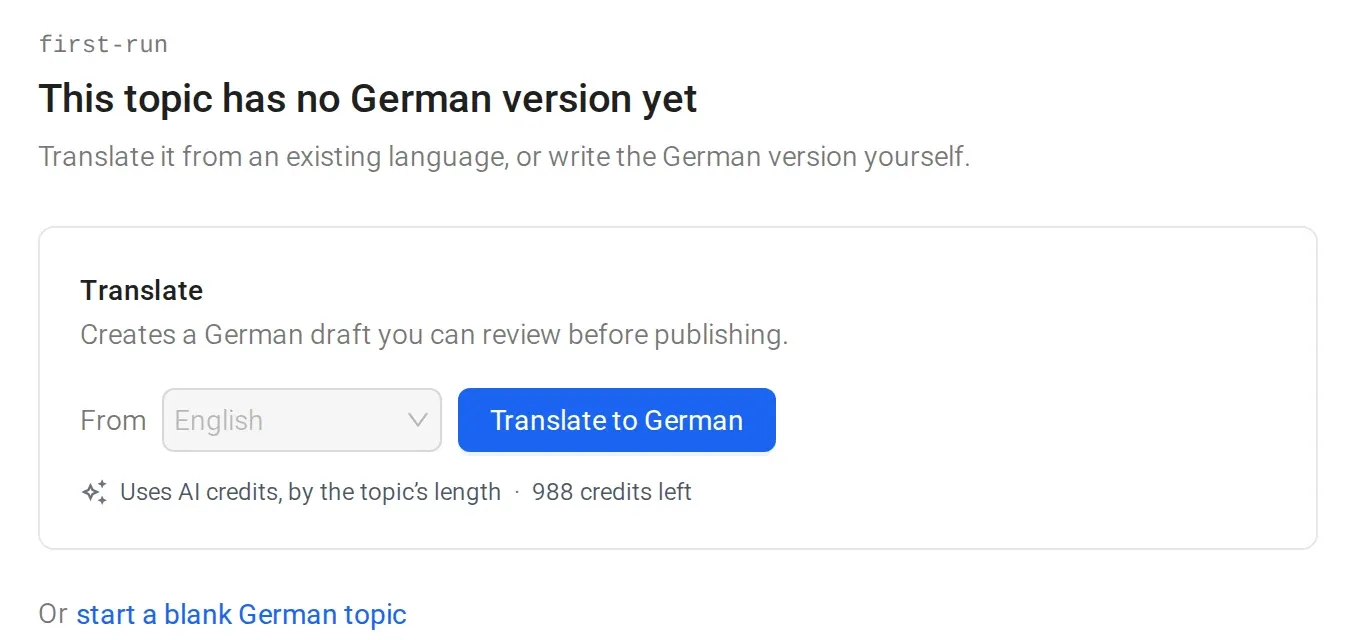
2 AI drafts a translation to review
AI translation turns a topic into another language version. You review and edit it before you publish. You or your translators can also write each language yourselves.
-
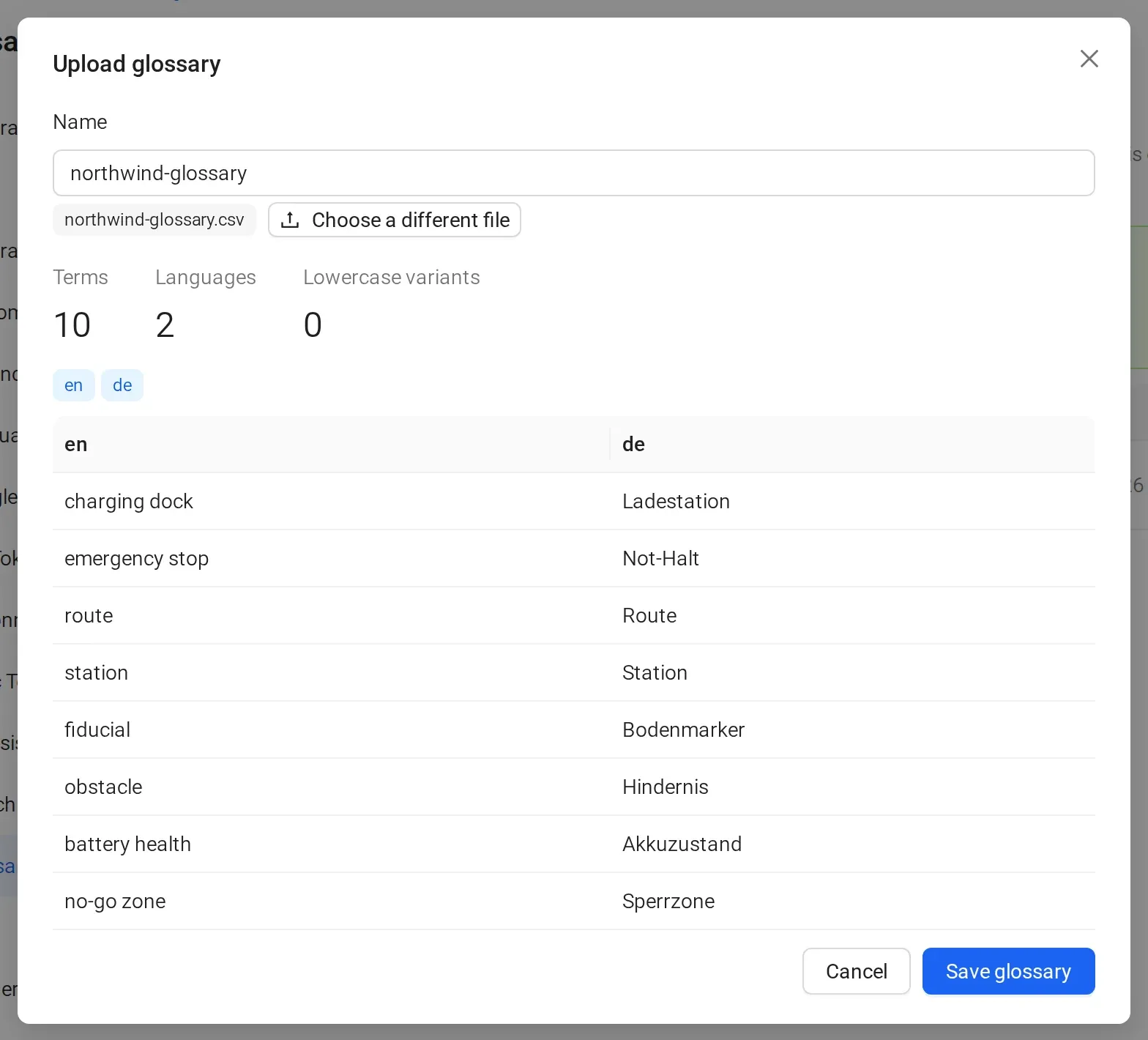
3 A glossary keeps terms consistent
Upload your terms and their translations, so every language uses the same words. Glossary translation is included in Business, or $49/mo on Team.
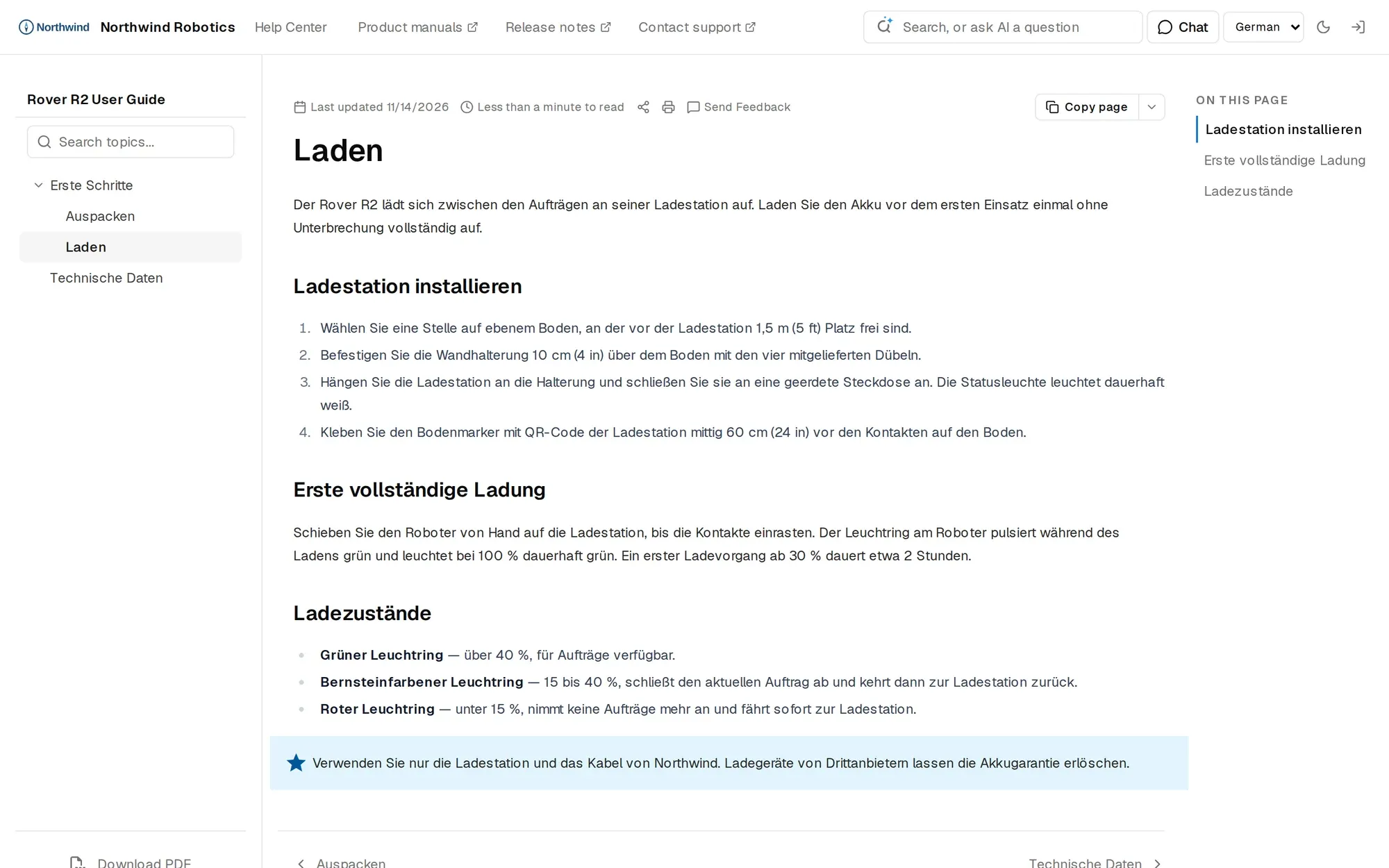
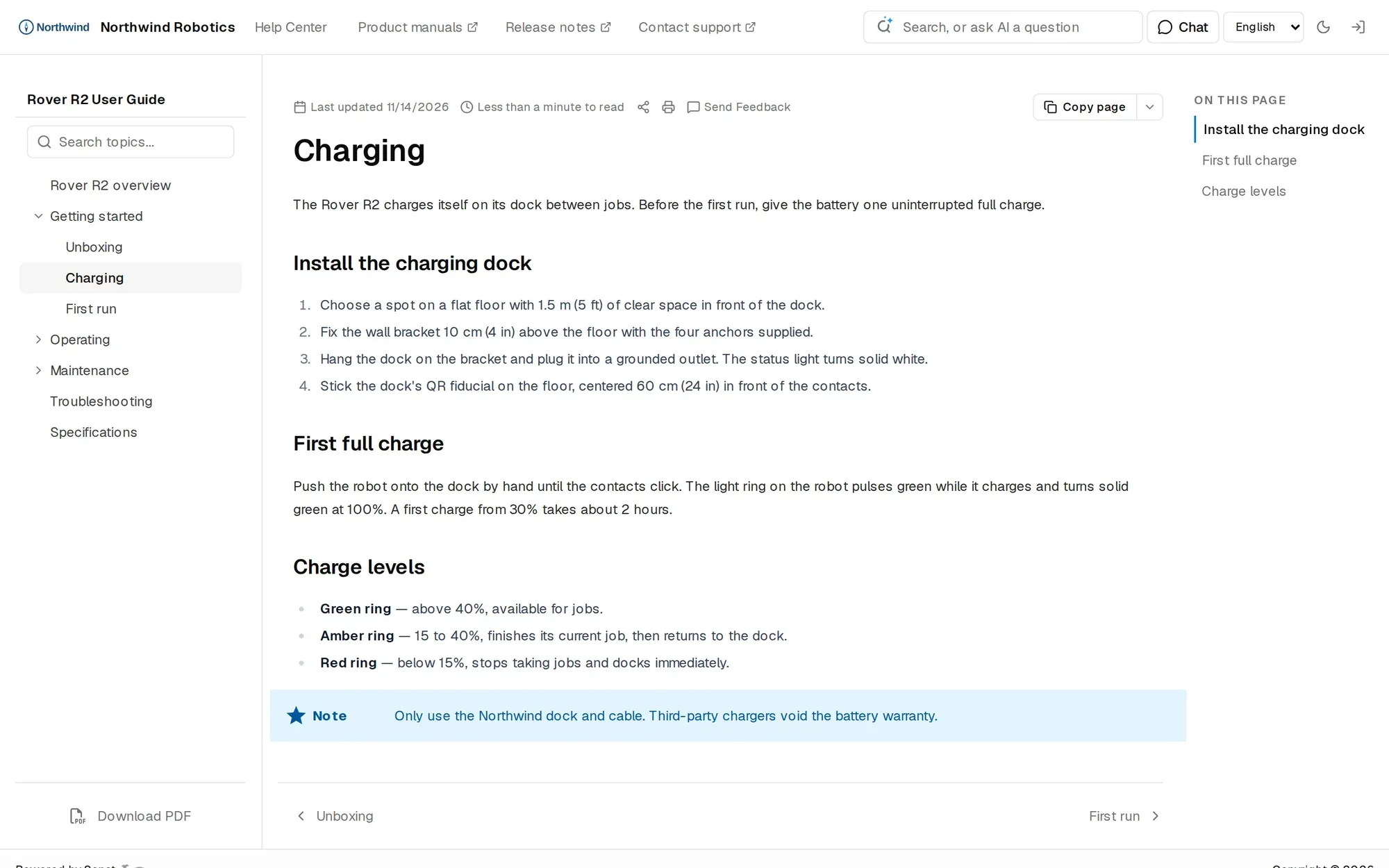
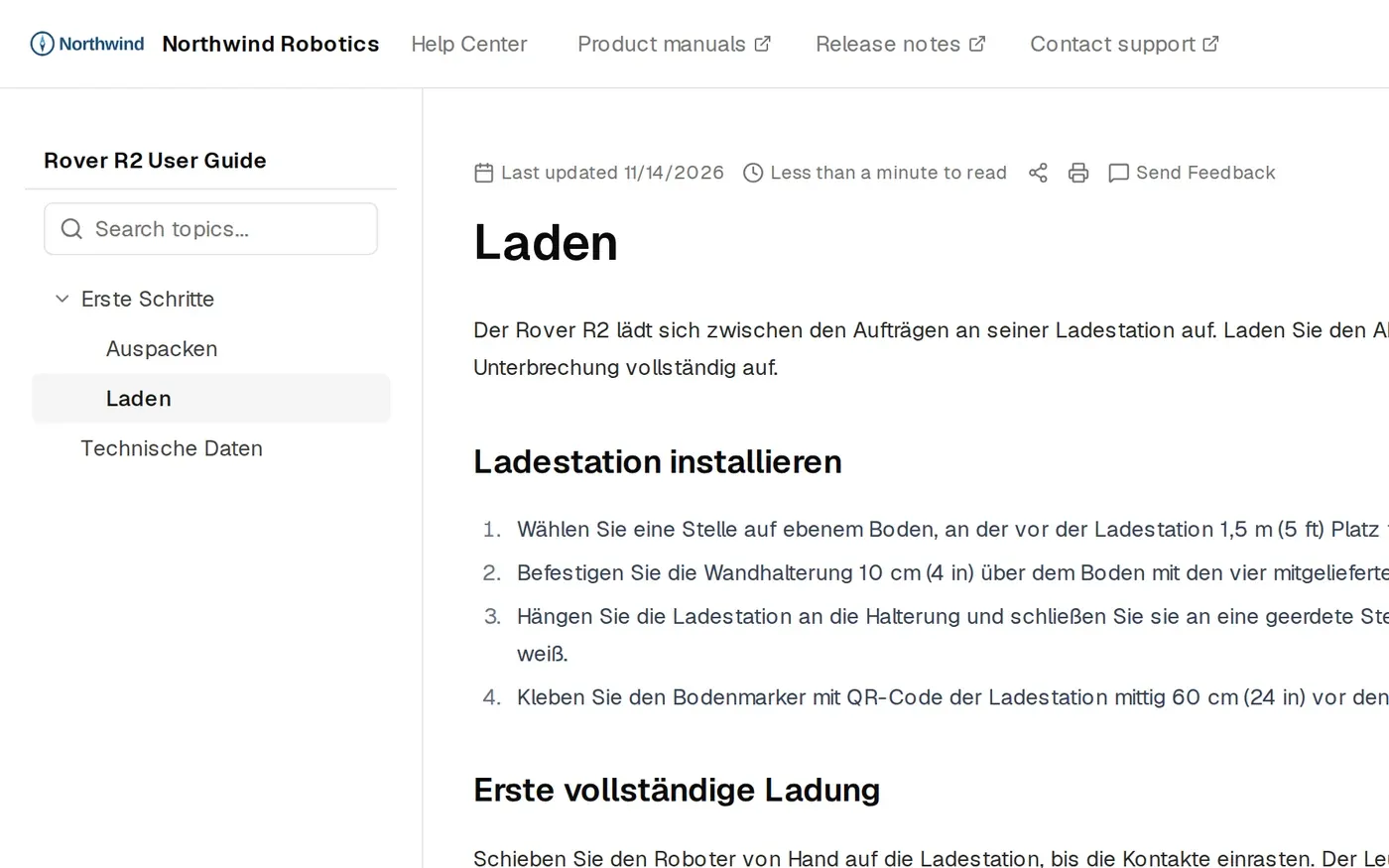
Same topic, two languages
Readers switch to their language.
Publish each language when it's ready. No need to wait for all of them.
The details
What multilingual manuals include
- Languages
- No limit. Add as many languages as the manual needs. AI translation covers 136 of them.
- AI translation
- Drafts another language version of a topic for you to review and edit. Uses AI credits, which every plan includes.
- Glossary translation
- Included in Business, or $49/mo on Team.
- For readers
- A language switcher on the web manual. Each language is published on its own.
- Review
- Every language gets the same editor, roles, version history and publish step.
- Updates
- Each language is its own version. Update the translations when the source changes, then publish them.
- One PDF per language, built from that language's published topics. PDF export is on every plan.
- Search and AI answers
- Search looks in the language the reader types in. AI answers come from that language's pages, on Team and above.
Manuals published with Sonat by





Bring one chapter in two languages.
We'll show it back as one Sonat manual with a language switcher.
FAQ
Multilingual manual questions
How do I create a multilingual user manual?
Write the manual in your main language, add a language version to the document, and fill it with the translated topics. Publish each language when it's reviewed. Readers switch languages on the manual.
How many languages can one manual have?
There is no limit. Add as many languages as the manual needs; AI translation covers 136 of them.
Does Sonat translate my manual automatically?
It can draft a translation for you. AI translation turns a topic into another language version, and you review and edit it before you publish. You or your translators can also write each language yourselves.
When I change the English text, do the other languages update?
No. Each language is its own version, so update the translations when the source changes, then publish them.
Can I export a PDF per language?
Yes. Each language gets its own PDF, built from that language's published topics, and readers download the one for the language they are reading. PDF export is on every plan, and the PDF rebuilds about 10 minutes after you publish.
Do search and AI answers work in every language?
Yes. Search looks in the language the reader types in, and AI answers come from that language's pages, in the language of the question.
What is the best multilingual knowledge base software for manuals?
Look for one document with a version per language, a language switcher for readers, and a review step before each language goes live. Sonat does these, and adds an AI assistant in the editor on every plan.