
For technical writers
A technical writing tool that keeps you the editor.
The AI drafts from your own sources and shows every step. You check it, change it and approve it before anything goes live.
Your week, before and after
Check AI drafts in minutes.
The time AI saves on drafting goes into fact-checking and review.
Today
- Release notes 4.2 Check by hand
- PX-200 spec sheet.docx Check by hand
- Engineering FAQ Check by hand
- More of your week goes to editing and review than to writing.
- A draft can sound right and still be wrong. Hallucination is writers' top worry about AI.
- The tool that writes fastest still leaves the checking to you.
With Sonat
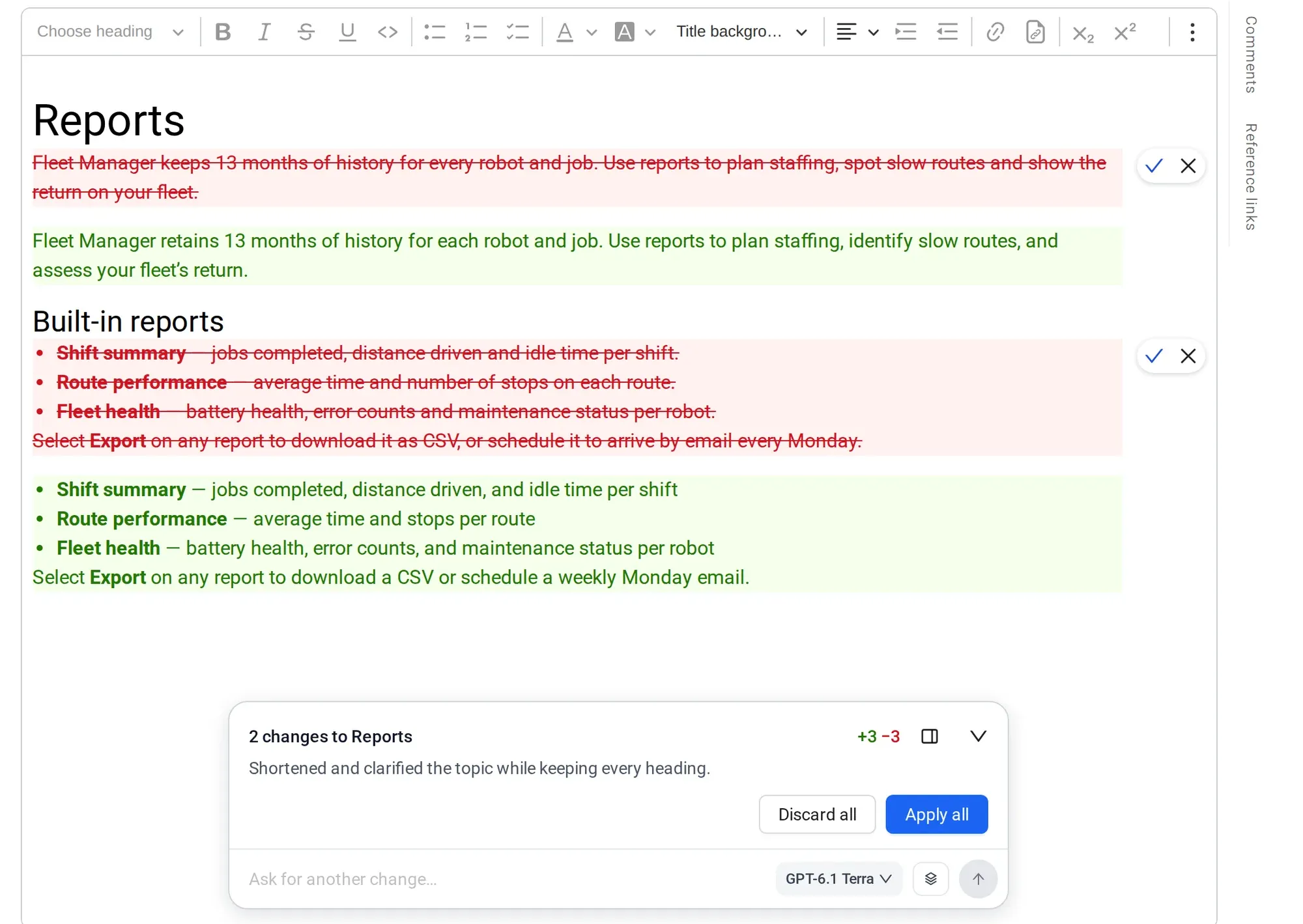
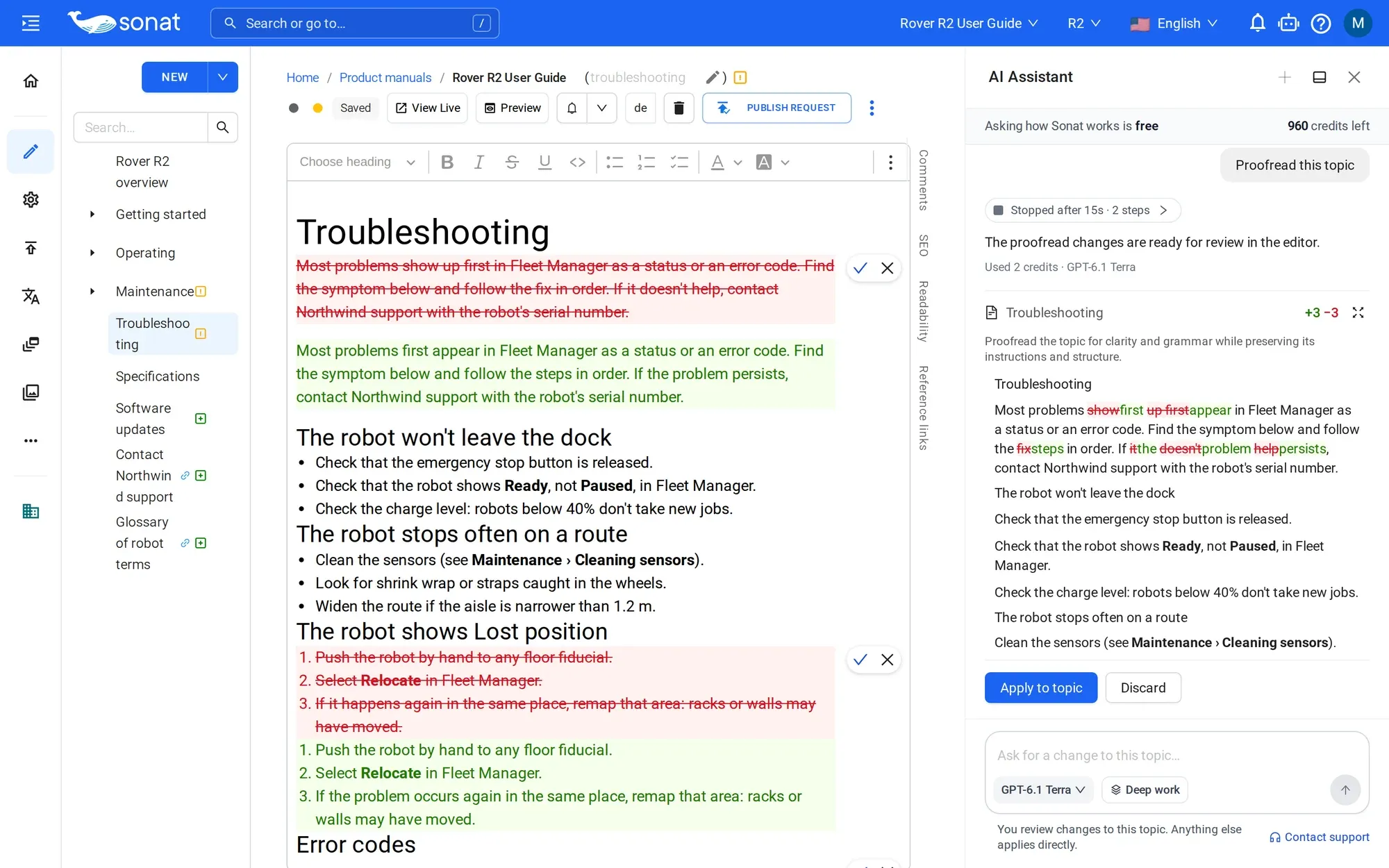
- The assistant drafts from the sources you trust and lists each step as it works.
- Read what changed, edit what's wrong, then approve. Nothing goes live without you.
- Version history keeps earlier versions of each topic.
What changed for writers
AI moved your work from drafting to checking.
Most technical writers now use AI. The time it saves on drafting goes into fact-checking and review. These figures are from the State of Docs 2026 survey.
76%
of documentation writers use AI regularly.
43%
spend more time fact-checking than before.
56%
of regular AI users now spend more time editing and reviewing than writing.
62%
name hallucination as their top worry about AI.
Source: State of Docs 2026.
So the useful tool is not the one that writes fastest. It is the one that makes checking fast: drafts from your sources, every change visible, nothing published without you.
What you'll use
One toolchain, from draft to PDF
What's included
What writers get today
- An assistant that shows its steps and waits for your approval
- Version history on every topic
- A content gaps report from real reader questions, on Team and above
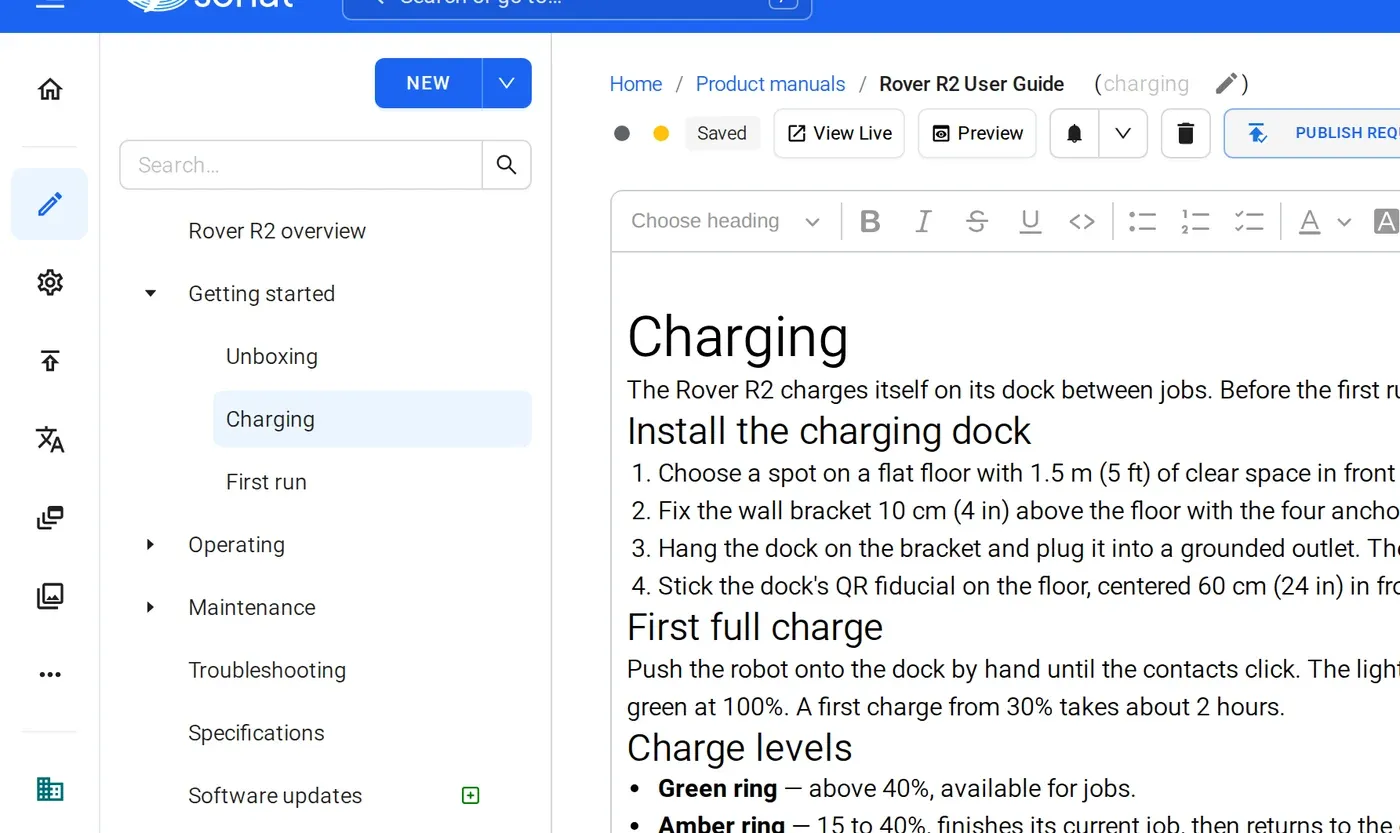
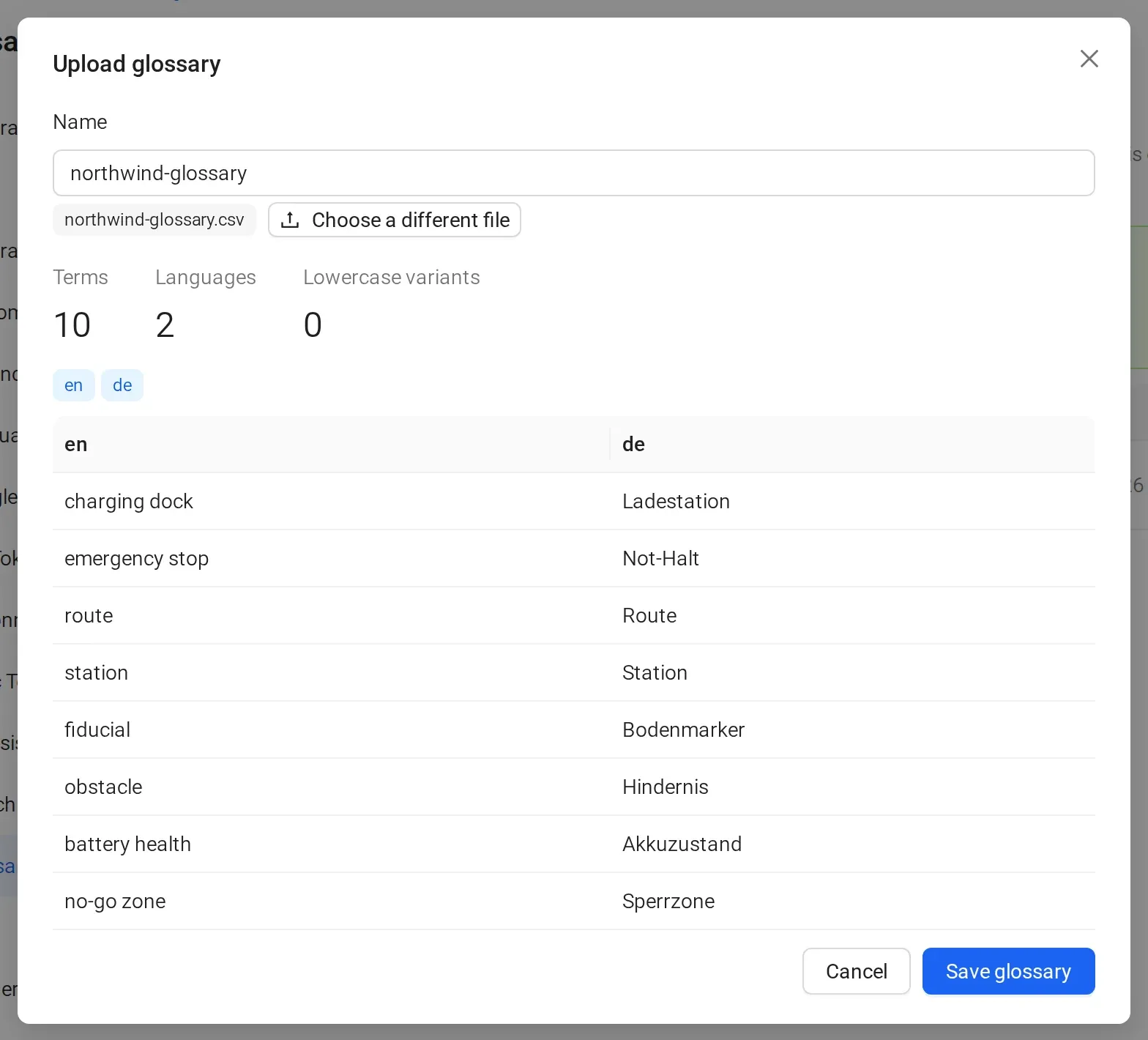
- Web, PDF and language versions from one source
- AI credits on every plan: Free 300 once, Team 500 a month, Business 1,000 a month
Manuals published with Sonat by





Send us one chapter and its source notes.
We'll run the assistant on it in a demo and you review every change, the way you would at work.
FAQ
Technical writing tool questions
Is Sonat trying to replace technical writers?
No. The assistant drafts and edits, but a person approves every change before it is published. It takes over the first draft and tells you what readers can't find; the judgment stays with you.
What makes a good technical writing tool with AI?
It should draft from your own sources, show what it changed, and never publish without review. Sonat does all three, and adds a list of reader questions your docs couldn't answer.
Can I control the style and tone?
You edit everything, and you can ask the assistant to rewrite in plain language or a set tone. Sonat does not check text against a style guide automatically.
Does Sonat support DITA or structured authoring?
No. Sonat is a topic-based editor for manuals and help docs. It is not a DITA or XML authoring tool.
Can I import existing documentation?
Yes. Import Word files and web pages, or sync Google Docs.
Will the AI publish anything without me?
No. The assistant shows its steps and a "What changed" summary, and changes go live only after you approve them.
How much AI can I use?
Every plan includes AI credits: Free 300 once, Team 500 a month, Business 1,000 a month. Paid plans start at $20 a month.